
Discord Invisible Name – Blank Username & Empty Message Copy Paste (2026)
Want to be the ghost of your server? Copy the invisible Unicode character below, paste it into your Discord Display Name, and your username becomes completely blank — no letters, no symbols, just empty space where your name should be.
This page has the working character for 2026, platform-specific guides for Desktop, Android, iOS, and Web, plus a full character comparison and troubleshooting section.
Discord Invisible Character Generator 2026
Note: Preview markers are not copied. Zero-width characters remain invisible after pasting.
Quick Blank Generator
Hangul Filler (U+3164) ⭐ — most universal invisible character, works everywhere: Instagram bio, TikTok name, Discord, WhatsApp, empty messages
Blank Text Generator — Build Custom Strings
Works for Instagram, TikTok, Discord, WhatsApp, Facebook, Snapchat etc.
See the result in real time
Zero-Width Invisible Characters
Hangul Filler ⭐
U+3164 • Hangul Filler ⭐
Braille Blank
U+2800 • Braille Blank (visible width)
Zero-width space
U+200B • invisible
Zero-width Non-Joiner
U+200C • invisible
Zero-width Joiner
U+200D • invisible
Zero-width no-break
U+FEFF • invisible
Visible Common Whitespaces
Narrow • THIN SPACE
U+2009
Ultra-narrow • HAIR SPACE
U+200A
Regular • SPACE
U+0020 (regular space)
Non-breaking • NBSP
U+00A0
Wide • EN SPACE
U+2002
Extra-wide • EM SPACE
U+2003
Ultra-wide • IDEOGRAPHIC
U+3000
What Is an Invisible Discord Name?
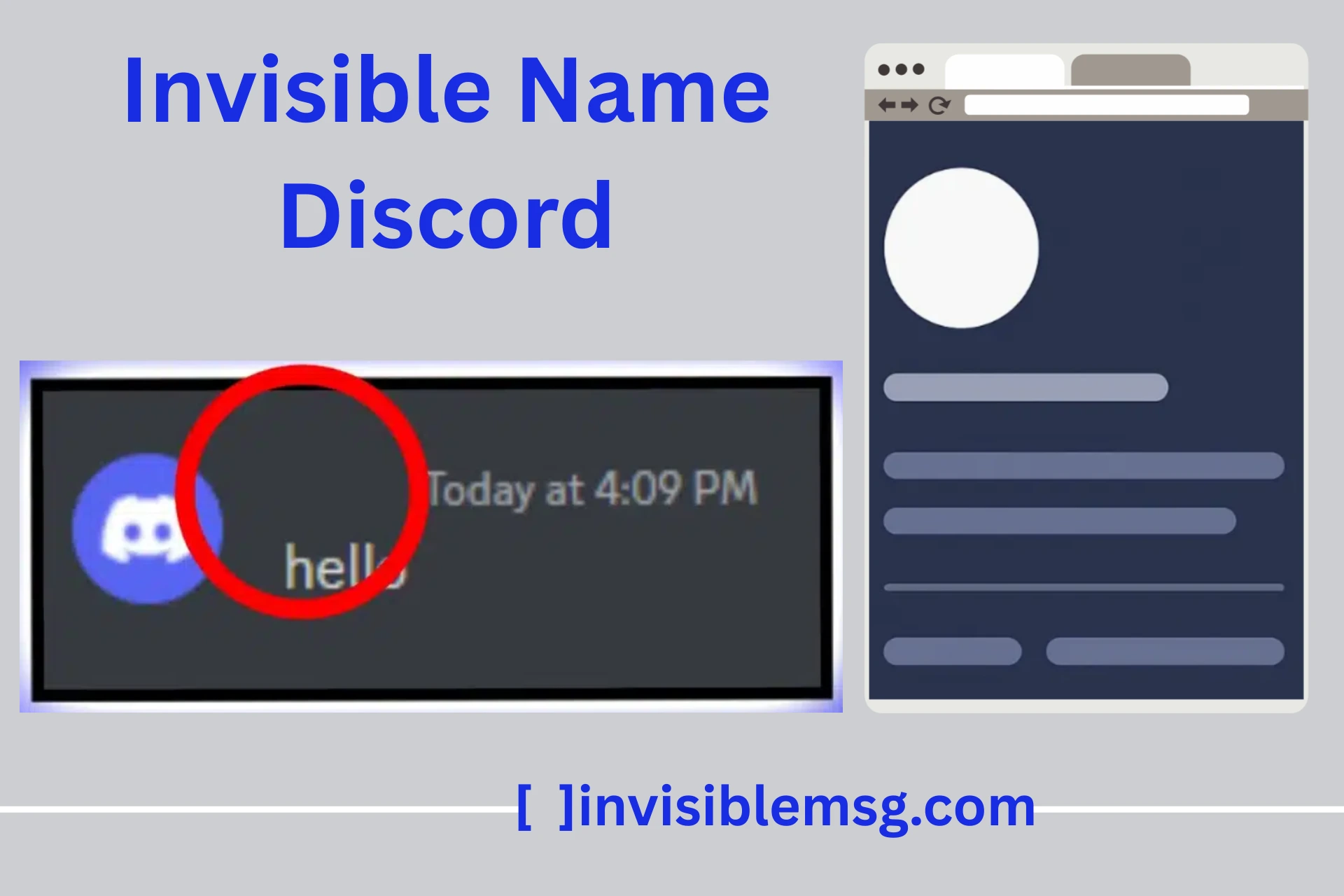
An invisible Discord name makes your display name appear completely blank when other users view your profile, see you in member lists, or read your messages in chat. Instead of seeing your username, they see nothing — just empty space where the name should be. Your profile picture, roles, permissions, and messages all work exactly the same. Only the displayed name looks invisible.
This works because Discord validates usernames by checking whether the field contains any character — not whether that character has a visible shape. Special Unicode characters like the Hangul Filler (U+3164) are real, valid characters in the Unicode standard, but they render with no visible pixels on screen. Discord sees a valid input, accepts it, and displays nothing.
// What Discord sees vs what users see:
Empty field → 0 characters → Error: "Name required"
Spacebar → Stripped → Error: "Name required"
U+3164 → 1 character → Accepted ✓ → Users see: [blank]
Display Name vs Username vs Server Nickname — Key Difference
Discord has three types of names, and understanding the difference matters before you try to make any of them invisible:
| Name Type | Where to Change | Visible Where | Can Be Blank? | Notes |
|---|---|---|---|---|
| Global Display Name | User Settings → My Account | All servers (default) | ✓ Yes | Override for each server with a server nickname. |
| Server Nickname | Right-click name → Edit Server Profile | That server only | ✓ Yes | Overrides your global Display Name on that specific server. |
| Account Username (@handle) | User Settings → My Account | All of Discord (login ID) | ✗ No | Cannot be made invisible. Must follow Discord's naming rules. |
Important: When people say "invisible Discord name," they mean the Display Name — not the @username. Your account username cannot be made invisible. Discord requires it to be visible and follow their naming rules.
Why People Use Invisible Discord Names
Privacy and anonymity
Browse servers and chat without revealing your identity at a glance. Useful when you want to lurk in new communities before committing to a visible presence.
Minimalist aesthetic
A blank name creates a clean, mysterious profile that stands out in member lists. Popular with users who prefer minimal digital identity across platforms.
Standing out ironically
Having no visible name makes you more noticeable, not less. People get curious about the blank entry in the member list and click to investigate.
Gaming and roleplay
Many Discord communities run roleplay servers where invisible names add to immersion. Popular in gaming servers where anonymous presence fits the aesthetic.
Server observation
Moderators and server admins sometimes use invisible display names when monitoring server activity without drawing attention to their presence.
Just for fun
A harmless way to surprise friends, experiment with Discord's features, or maintain an air of mystery in your social servers.
Best Unicode Characters for Discord — 2026 Comparison
Not all invisible Unicode characters work equally on Discord. Based on testing across all Discord clients in 2026, here is the full comparison:
A Korean alphabet placeholder character. Discord recognises it as valid text but renders it with no visible pixels. Works on Windows, Mac, Linux, Android, iOS, and Discord Web. The go-to character for Discord invisible names in 2026.
The first character in the Unicode Braille Patterns block — a Braille cell with no raised dots. Excellent fallback if U+3164 gets filtered on a specific server or after a Discord update. Slightly lower success rate but very reliable.
A full-width space from the CJK character block. Adds a visible blank space (not zero-width). Useful if you want spacing between visible characters rather than a fully blank name.
Frequently filtered by Discord's text validation system. Was one of the first invisible characters used widely online, so Discord specifically targets it. Can also interfere with bot commands and slash commands.
Simple rule: Always start with Hangul Filler (U+3164). If it shows a dot or gets rejected, switch to Braille Pattern Blank (U+2800). Never use Zero-Width Space (U+200B) on Discord — it is the most commonly filtered invisible character.
How to Get an Invisible Discord Name — Desktop (Windows / Mac / Linux)
Setting up an invisible name on Discord desktop takes about 30 seconds:
- 1
Copy the invisible character
Click the copy button next to Hangul Filler (U+3164) in the generator tool at the top of this page. To confirm it copied correctly, paste into Notepad — your cursor should move even though nothing visible appears.
- 2
Open Discord User Settings
Launch Discord desktop or go to discord.com in your browser. Click the gear icon (⚙) in the bottom-left corner, right next to your profile picture.
- 3
Go to My Account
In the left sidebar of User Settings, click 'My Account' near the top of the menu.
- 4
Edit your Display Name
On the My Account page, find the Display Name field and click the 'Edit' button next to it. A popup appears with your current display name.
- 5
Clear the field and paste
Delete your current display name completely. Paste the invisible character using Ctrl+V (Windows/Linux) or Cmd+V (Mac). The field will look empty — that is correct.
- 6
Save changes and verify
Click 'Save Changes'. Close settings and check the bottom-left corner — your name should appear blank. Go to any server and check the member list to confirm.
Mobile Instructions — Android & iOS
Android
- 1Copy the invisible character from the generator tool above
- 2Open the Discord app on your Android phone
- 3Tap your profile icon in the bottom-right corner
- 4Tap 'Edit Profile' at the top of the profile page
- 5Tap the 'Display Name' field to open the keyboard
- 6Delete your current display name completely
- 7Long-press in the empty field and select 'Paste'
- 8Tap 'Save' in the top-right corner
- 9Go to any server and check the member list to confirm
iPhone / iOS
- 1Copy the Hangul Filler character from the generator above
- 2Open the Discord app on your iPhone
- 3Tap your profile picture in the lower-right corner
- 4Tap 'Edit Profile'
- 5Tap the Display Name field
- 6Delete the existing name
- 7Tap and hold in the field, then tap 'Paste'
- 8Tap 'Save' to apply changes
- 9Return to a server to confirm your name appears blank
iOS note: If the character gets stripped, paste into your Notes app first, re-copy from Notes, then paste into Discord. iOS keyboards sometimes filter special characters during direct paste.
How to Send a Blank Message on Discord
The same invisible character works for sending empty messages in any Discord channel:
- 1
Copy the character
Copy U+3164 or U+2800 from the generator tool above.
- 2
Open any Discord channel
Go to any text channel or DM where you want to send the blank message.
- 3
Paste into the message field
Click the message input box and paste. The field will look empty.
- 4
Press Enter
Send the message. It will appear as a completely blank bubble in the chat.
Note: Some Discord servers with strict automod settings may flag or delete blank messages automatically. If your message disappears immediately after sending, try U+2800 instead of U+3164, or add a single visible character alongside the invisible one.
Server Nicknames — Invisible on Some Servers, Visible on Others
Discord lets you set different display names on each server independently. This means you can have an invisible name on gaming servers while keeping your real name on professional or friend servers.
How to set a server nickname
- 1Right-click your name in any server's member list
- 2Select 'Edit Server Profile'
- 3Find the Nickname field
- 4Delete the current nickname and paste the invisible character
- 5Click Save
Name priority order
Discord Policy on Invisible Names — Is It Allowed?
Discord's Community Guidelines and Terms of Service do not specifically prohibit invisible display names. Using Unicode characters in display names is normal platform usage and is not considered an exploit or rule violation.
✓ Allowed
- › Using Unicode characters in display names
- › Blank display names for privacy or aesthetics
- › Server nicknames with invisible characters
- › Sending occasional blank messages
- › Invisible names for roleplay immersion
✗ Against Rules
- › Using invisible names to evade bans
- › Impersonating other users
- › Spamming blank messages
- › Violating individual server rules
- › Harassment using anonymous invisible identity
Server rules take priority: Individual server owners can set their own policies, including prohibiting invisible names. Some moderation bots also block blank-looking messages on certain servers. Always check a server's rules before using an invisible name there.
Troubleshooting — Common Issues & Fixes
Most invisible name problems have a simple fix. Here are the six most common issues and exactly what to do:
⚠ Character shows as a box (□) or question mark
Why: Device doesn't have the font needed to render that Unicode character.
→ Fix: Switch to Braille Pattern Blank (U+2800). One of the two main characters always works across devices.
⚠ Discord gives an error when saving
Why: Specific server configuration or recent Discord update temporarily blocking the character.
→ Fix: Restart Discord, clear cache (Settings → Advanced → Clear Cache), update Discord, then try again after 10 minutes.
⚠ Name appears as a small dot instead of completely blank
Why: Normal on some devices — the character renders as a tiny dot in that device's font.
→ Fix: Switch to U+2800 Braille Pattern Blank — it renders more truly invisible on most fonts.
⚠ Name reverts to original after saving
Why: Clipboard didn't properly copy the character — you pasted nothing.
→ Fix: Re-copy, then test by pasting into Notes app first. Confirm cursor moves in the empty-looking field. Then paste into Discord.
⚠ Works on desktop but not mobile (or vice versa)
Why: Discord clients handle Unicode differently across platforms.
→ Fix: Use platform-specific steps below. If it works on one client, the character is valid — use it where it works.
⚠ Can't copy the character from the generator
Why: Mobile keyboard strips special characters during paste.
→ Fix: Paste into your Notes app first, re-copy from Notes, then paste into Discord. iOS specifically needs this workaround.
Tips for Using Invisible Text on Discord
Always use updated characters
After Discord updates, some characters get blocked. U+3164 and U+2800 have the best track record of surviving updates.
Don't overuse blank messages
Sending too many blank messages in a short time can trigger spam detection on some servers. Use sparingly.
Copy from trusted sources only
Random or broken invisible characters may show as boxes or question marks. Use our generator for clean, tested characters.
Test before committing
Paste the character into Notepad or Notes app first to confirm it copied correctly, then paste into Discord.
Check server rules
Every server has different moderation rules. Some explicitly prohibit blank names or messages. Check rules before using.
Keep a visible name backup
Save your current display name somewhere before making it invisible, in case you want to switch back quickly.
FAQ — Discord Invisible Name
Full answers to the most common questions about Discord invisible names — which characters work, how to set them on mobile and desktop, whether it's allowed, and what to do when things go wrong.
These answers are optimised for 2026. Discord updates occasionally change which characters work — bookmark this page and check back if your invisible name stops working after a Discord update.
How do I get an invisible name on Discord?
▼
Copy the Hangul Filler (U+3164) from the generator on this page. Open Discord User Settings → My Account → Edit Display Name. Delete your current name, paste the invisible character, and save. Done in under 30 seconds.
Can I make my Discord @ username invisible?
▼
No. Your Discord account username (@handle) must be visible and follow Discord's naming rules. Only your Display Name and server-specific nicknames can be made invisible.
Which invisible character works best on Discord in 2026?
▼
Hangul Filler (U+3164) — ~95% success rate on Discord. Best backup is Braille Pattern Blank (U+2800) at ~88%. Never use Zero-Width Space (U+200B) — Discord filters it consistently.
How do I send a blank message on Discord?
▼
Copy U+3164 or U+2800. Open any channel, paste into the message field, press Enter. The message appears completely blank in chat.
Will I get banned for using an invisible Discord name?
▼
No. Discord's Community Guidelines do not prohibit invisible display names. However, individual servers may have their own rules — always check server-specific guidelines.
How do I set an invisible name on Discord mobile?
▼
Copy the character → open Discord → tap profile icon (bottom right) → Edit Profile → tap Display Name → delete current name → long press → Paste → Save. Works on both Android and iOS.
Can I have an invisible name on some servers but not others?
▼
Yes. Right-click your name in any server member list → Edit Server Profile → set a blank or regular nickname just for that server. Server nicknames override your global Display Name.
Why does my invisible Discord name show a small dot?
▼
Some devices render U+3164 as a tiny dot. Other users on different devices still see it as blank. Switch to U+2800 (Braille Pattern Blank) for more truly invisible rendering.
Can Discord bots still identify me with an invisible name?
▼
Yes. Bots use your account username and user ID — neither is affected by your display name. An invisible display name does not hide you from bots, moderation tools, or server logs.
How do I remove my invisible Discord name?
▼
Go back to User Settings → My Account → Edit Display Name. Delete the invisible character, type a regular name, and save. Your name returns to normal instantly.