
Invisible Text Copy & Paste – Blank Space Unicode Characters
A free tool for copying blank Unicode characters — zero-width spaces, non-breaking spaces, and other invisible symbols — tested in 2026 to work in usernames, bios, captions, and messages across Instagram, Discord, WhatsApp, PUBG, TikTok, and more.
Normal keyboards cannot type these characters. Use the generator below to build the exact invisible string you need, preview it in real time, then copy and paste it anywhere.
Quick Copy — One-Click Blank Characters
Tap any button to copy instantly. Zero-width characters remain invisible after pasting.
Blank / Invisible Text Generator
[ ]Note: Preview markers are not copied. Zero-width characters remain invisible after pasting.
Quick Blank Generator
Hangul Filler (U+3164) ⭐ — most universal invisible character, works everywhere: Instagram bio, TikTok name, Discord, WhatsApp, empty messages
Blank Text Generator — Build Custom Strings
Works for Instagram, TikTok, Discord, WhatsApp, Facebook, Snapchat etc.
See the result in real time
Zero-Width Invisible Characters
Hangul Filler ⭐
U+3164 • Hangul Filler ⭐
Braille Blank
U+2800 • Braille Blank (visible width)
Zero-width space
U+200B • invisible
Zero-width Non-Joiner
U+200C • invisible
Zero-width Joiner
U+200D • invisible
Zero-width no-break
U+FEFF • invisible
Visible Common Whitespaces
Narrow • THIN SPACE
U+2009
Ultra-narrow • HAIR SPACE
U+200A
Regular • SPACE
U+0020 (regular space)
Non-breaking • NBSP
U+00A0
Wide • EN SPACE
U+2002
Extra-wide • EM SPACE
U+2003
Ultra-wide • IDEOGRAPHIC
U+3000
What Is Invisible Text?
Invisible text consists of Unicode characters that have no visible glyph — they take up space (or no space at all) in a text string, but the human eye cannot see them on screen. When you type or paste one of these characters, the cursor moves, the character count increases, but nothing appears.
They are real, standardized characters in the Unicode specification. The most commonly used ones are Zero-Width Space (U+200B), Zero-Width Joiner (U+200D), Zero-Width Non-Joiner (U+200C), and Non-Breaking Space (U+00A0).
Because platforms like Instagram, Discord, and PUBG do not allow empty fields, these characters let you submit a field that looks blank while still containing a valid character. The platform accepts the input; the viewer sees nothing.
This is completely separate from Apple's Invisible Ink iMessage effect, which is a visual blur animation applied to normal text — not Unicode characters.
Why Invisible Characters Matter
Invisible Unicode characters are used by millions of people daily — not just for fun, but for genuine formatting control that standard keyboards and editors simply cannot provide. Here is why they matter across different contexts.
Active PUBG Mobile players worldwide who can use blank names
WhatsApp users who face the blank message limitation daily
Unicode character types available in our generator — more than any other free tool
For gamers
A blank username in PUBG or Free Fire makes you appear nameless in the kill feed and lobby — creating a mysterious presence that opponents cannot easily track or identify. It is a legal, widely-used technique that does not violate any game's terms of service.
For content creators
Instagram, TikTok, and YouTube compress or remove extra line breaks in bios and descriptions. Invisible characters let creators maintain intentional spacing and blank lines, giving their profiles a cleaner, more professional layout without extra symbols.
For developers
Testing form validation with invisible characters reveals whether your application properly rejects visually-empty-but-technically-valid input. This is a standard part of security hardening for user registration and content submission systems.
For typography and design
EM Space, EN Space, Thin Space, and Hair Space give designers precise typographic control in environments where CSS spacing is unavailable — such as social media post captions, email subject lines, and plain-text documents.
Which Character Should I Use?
Not every invisible character works on every platform. Some are stripped during validation; others render as a visible box on certain fonts. Here is a practical guide — tested in 2026 — based on where you want to use the character.
Bio, highlight names, captions
Best character: ZWSP (U+200B) or NBSP (U+00A0)
Platform Compatibility — Tested 2026
We retest the most common platforms regularly. "Sometimes" means the character may need to be repeated 2–3 times, or that the platform updates its filter periodically — re-test if it stops working.
| Platform | Works? | Notes |
|---|---|---|
| Discord | ✅ Yes | Use Braille Blank for names and server titles |
| PUBG Mobile / BGMI | ✅ Yes | Hangul Filler creates blank usernames |
| Free Fire | ✅ Yes | Bypasses default name filters |
| ✅ Yes | NBSP works for blank messages and status | |
| TikTok | ✅ Yes | Clean bios and captions |
| Telegram | ✅ Yes | Empty messages and usernames |
| ⚠️ Sometimes | Works for bio, comments, highlights — may need character repeated | |
| ⚠️ Variable | Depends on field type | |
| Twitter / X | ✅ Yes | Profile formatting |
| YouTube | ⚠️ Limited | Comments work, channel names often blocked |
| ⚠️ Sometimes | Professional fields may filter | |
| Google Forms | ✅ Yes | Bypasses required-field validation |
Tool Features — What You Can Do
The generator above is built around three specific needs: one-click copying, zero-width invisible characters, and custom-length string building. Here is what each feature does.
One-Click Copy
Each character button copies instantly — no manual selection needed. The copy is accurate every time, with no trailing spaces or extra characters attached. This matters because a single wrong character in a username field will cause it to fail validation.
Best for: Instagram, WhatsApp, Facebook, YouTube channel names.
Zero-Width Characters
Zero-width characters take up no visible space whatsoever. When pasted into a username or bio, the field looks completely empty — but the platform's validation sees a real character and accepts the input. They are also used to control how scripts join or separate in complex writing systems.
Best for: PUBG, Free Fire, Fortnite, Roblox, and social media bios.
Typography Testing with Whitespace Characters
Not all whitespace is the same width. EM Space (U+2003) is much wider than a regular space. Thin Space (U+2009) is narrower. The generator lets you pick the exact Unicode whitespace character and preview how it renders before pasting it into your design. This is useful for social media banners, product names, and layouts where standard keyboard spacing does not behave as expected.
Looking for decorative styles instead of spacing? Try our partner fancy text generator to create stylish Unicode fonts for bios and usernames.
Best for: Banners, product names, and layout adjustments.
Custom-Length String Builder
Select any character type and enter a length between 1 and 100. The generator builds the exact string and copies it in one click. Use the preview box to confirm how it renders before pasting it anywhere publicly.
This is useful when a platform requires a minimum character count in a field — you can fill the requirement with invisible characters without showing any text to the viewer.
Common use cases include TikTok invisible names, Twitter spacing tricks, and adding invisible padding in social media bios. The same method also works on iPhone iMessage to send blank-looking bubbles.
How to Copy and Paste Invisible Characters
Three steps — under 10 seconds
- 1Pick the character type from the generator (ZWSP, NBSP, Braille Blank, etc.).
- 2Click Copy — the character is now on your clipboard.
- 3Paste it wherever you need: username field, bio, chat box, design tool.
Why you cannot type these on a keyboard
Standard keyboards only produce visible characters or a regular space (U+0020). Zero-width and special Unicode whitespace characters have no assigned keyboard shortcut on any consumer device. The only reliable method is to copy them from a Unicode tool like this one and paste them directly.
Practical Use Cases — What People Actually Do With These
Invisible Unicode characters serve real formatting and creative purposes across gaming, social media, and design. Here are the most common use cases with examples.
Blank gaming usernames
In PUBG Mobile, BGMI, and Free Fire, a blank username makes your profile appear nameless in the lobby and kill feed. This creates a mysterious look and prevents opponents from easily identifying you. The Hangul Filler (U+3164) is the most reliable character for this across both games.
Instagram blank highlight names
Instagram requires a name when creating a story highlight. Using an invisible character in the name field lets the highlight title appear completely empty, giving profiles a clean, icon-only minimalist look. NBSP and ZWSP both work in most Instagram versions.
Discord blank messages and nicknames
Discord blocks normal spacebar input in message boxes and name fields. Using the Braille Blank character (U+2800) works around this restriction, letting you send blank-looking messages or set a username that displays as empty.
Blank iPhone iMessage bubbles
Copying a zero-width character and pasting it into iMessage lets you send a message bubble that looks completely empty. Unlike the Invisible Ink blur effect, there is nothing to tap and reveal — the bubble just appears blank.
Typography and layout spacing
Web designers and content creators use Em Space, En Space, and Thin Space to control word spacing in headings and banners where the browser's default spacing is too wide or too narrow. These characters are invisible on keyboard but essential for precise typographic control.
TikTok and social bio styling
Invisible characters can add deliberate gaps between lines in a TikTok bio or create the appearance of blank lines between sections. This is a common technique among creators who want a more structured, readable bio without using visible symbols as separators.
Blank Names in Games — Quick Overview
Every game validates usernames differently. Pick your game below for the full step-by-step guide, exact character to use, and fixes for common errors.
Social Media & Messaging — Quick Overview
Each platform behaves differently field by field. Tap through to the dedicated guide for exact steps, the best character for that app, and troubleshooting if it stops working after an update.
Want Stylish Text Too? Try a Fancy Text Generator
Invisible characters are great for blank names and clean spacing, but sometimes you want your username, bio, or caption to stand out with style instead. A fancy text generator converts normal words into bold, cursive, gothic, bubble, and dozens of other Unicode font styles that you can copy and paste anywhere.
Many creators combine both: a stylish display name with invisible spacing in the bio for a cleaner layout on Instagram, TikTok, and Discord.
Free • No sign-up • Copy & paste
For Content Creators & Bloggers — Formatting That Works Everywhere
Invisible characters solve a real problem for anyone who creates written content across multiple platforms. Here is how to use them for blogging, YouTube descriptions, newsletters, and email signatures — and why they work better than extra line breaks or manual spacing.
Blogging (WordPress & Medium)
WordPress and Medium both collapse consecutive blank paragraphs when content is rendered on the front end. A paragraph containing only an NBSP character (U+00A0) is treated as non-empty, so it survives the rendering pipeline and creates a visible blank gap between sections.
This is especially useful for poetry, pull quotes, and sections where visual breathing room matters — without resorting to custom CSS or HTML spacer images.
YouTube Video Descriptions
YouTube description boxes preserve invisible characters, making them ideal for separating sections — timestamps, links, social media handles — without using visible dividers like dashes or asterisks.
Email Signatures (Gmail & Outlook)
HTML email rendering varies across clients. Extra line break tags are sometimes collapsed, especially in mobile email apps. NBSP characters placed on their own line in the signature create reliable vertical spacing that survives across Gmail, Outlook, Apple Mail, and mobile clients.
Newsletters & Email Campaigns
Email newsletter editors like Mailchimp and ConvertKit sometimes strip blank paragraphs on preview. Adding an NBSP character in an otherwise empty content block preserves the spacing in the final send, ensuring sections are visually separated for readers.
For plain-text email versions (sent alongside HTML), invisible characters in subject lines can also add subtle visual differentiation — though this should be tested across clients before use in campaigns.
Understanding Empty Characters
"Empty character" is a common informal term for any Unicode character that has no visible glyph. In technical terms, these characters fall into two groups:
Zero-width characters
ZWSP (U+200B), ZWJ (U+200D), and ZWNJ (U+200C) have literally no width — they do not move the cursor or create any gap. They are completely invisible and do not affect spacing. Their original Unicode purpose is to control how characters join or break in scripts like Arabic or Devanagari.
Visible-width blank characters
NBSP (U+00A0), Em Space (U+2003), and Braille Blank (U+2800) have measurable width — they create a visible gap in the layout, similar to pressing spacebar, but they behave differently. NBSP prevents line breaks; Em Space is wider than a standard space; Braille Blank renders as a blank glyph on most fonts.
If a small box or dot appears when you paste, the character is partially supported — the system recognizes it but the font cannot render it as truly blank. Switch to a different character and test again in the preview box. You can also use our invisible character detector to check exactly what invisible characters a piece of text contains.
Unicode Background — Where These Characters Come From
Every invisible character in our generator has a specific origin in the Unicode standard. Understanding where they come from explains why they behave differently and why some work on certain platforms while others do not.
Hangul Filler (U+3164)
Unicode 1.1 (1993)Designed for the Korean Hangul writing system as a placeholder character. In Korean typography, Hangul Filler occupies the space of a full Hangul syllable block while displaying nothing. Because it is classified as a letter (category Lo — Letter, Other) rather than whitespace, most platform validators treat it as a valid character — making it the single most useful invisible character for gaming usernames.
Zero-Width Space (U+200B)
Unicode 1.1 (1993)Created to mark possible line-break points in languages that do not use spaces between words — such as Thai, Khmer, and Chinese. A ZWSP tells a text renderer 'you may break the line here' without showing any visual space. In modern use it is the go-to invisible character for username tricks because it has zero visual width and passes most validators.
Non-Breaking Space (U+00A0)
ISO 8859-1 (pre-Unicode)Inherited directly from the HTML entity and ISO Latin-1 character set. It looks identical to a regular space but prevents the text from wrapping at that point. It has been in digital character sets since before Unicode, giving it the widest platform support of any invisible-ish character — nearly every system recognizes and preserves it.
Braille Pattern Blank (U+2800)
Unicode 3.0 (1999)Part of the Braille Patterns Unicode block (U+2800–U+28FF), which encodes all 256 possible 8-dot Braille patterns. U+2800 is the pattern with zero raised dots — a completely empty Braille cell. On most fonts it renders as a white square of standard character width. Discord's input system treats it as a printable symbol rather than whitespace, making it the preferred choice for blank Discord names.
Zero-Width Joiner & Non-Joiner (U+200D, U+200C)
Unicode 1.1 (1993)Created for complex scripts where the same letter has multiple forms depending on its position in a word (initial, medial, final). ZWJ forces two adjacent characters to use their connected forms; ZWNJ forces them apart. In modern emoji encoding, ZWJ is also used to combine multiple emoji into a single sequence — the rainbow flag and family emoji are both ZWJ sequences. As an invisible character for username tricks, ZWJ and ZWNJ have lower compatibility than ZWSP because some validators specifically filter formatting characters.
Non-Breaking Space: What NBSP Does Differently
A Non-Breaking Space (U+00A0) looks identical to a regular space on screen but behaves differently in two important ways. First, it prevents the text from wrapping to a new line at that point — useful for keeping a number and its unit together (e.g., "100 KB" never splits across two lines). Second, many platforms do not strip NBSP during input validation the way they strip regular spaces, making it more reliable for blank username tricks.
NBSP is commonly used in web design, social media banners, and product names where consistent spacing matters. It is one of the safest choices for Instagram and TikTok bio fields in 2026 because it has the widest platform support of any blank Unicode character.
Unicode Reference — Blank Characters You Can Copy
All characters below are part of the official Unicode standard. Use the generator above to copy any of them.
Space Unicode Reference Table
| Character | Name | Unicode | Visible? | Best Use |
|---|---|---|---|---|
| Space | Regular | U+0020 | Yes | Normal typing |
| NBSP | Non-breaking | U+00A0 | Yes | Prevent line break |
| Em Space | Extra-wide | U+2003 | Yes (Wide) | Large spacing |
| Thin Space | Narrow | U+2009 | Yes (Small) | Subtle spacing |
| ZWSP | Zero-width space | U+200B | No | Hidden formatting |
| ZWNJ | Zero-width Non-Joiner | U+200C | No | Break character joining |
| ZWJ | Zero-width Joiner | U+200D | No | Join characters |
| Hangul Filler | Invisible filler | U+3164 | No | Gaming usernames |
| Braille Blank | Braille Pattern Blank | U+2800 | Blank glyph | Discord, rare uses |
How Blank Unicode Characters Work — Technical Explanation
Unicode assigns a unique code point to every character, including invisible ones. When you type or paste an invisible character, the operating system and application both see a valid code point in the text string. The character has a definition, a category, and behavior rules — it just has no visible glyph attached to it.
This is why platforms cannot simply ignore invisible characters the way they ignore an empty field. The text string is not empty — it contains a character with a real code point. The platform's minimum-length validation passes, and the text is stored and displayed. The viewer sees nothing, but the system sees a valid non-empty string.
- Zero-width characters (ZWSP, ZWJ, ZWNJ): No visible width. Affect character joining and text flow in script-heavy languages. May be stripped by some platform validators.
- Whitespace characters (EN Space, EM Space, NBSP): Visible gaps with defined widths. Prevent line breaks in some cases. Widely supported across platforms.
- Special blanks (Hangul Filler U+3164, Braille Blank U+2800): Render as visually empty on most fonts. Treated as full characters by most systems. Strong compatibility in gaming applications.
Common Mistakes & Troubleshooting — Why It Sometimes Fails
Invisible characters work consistently when used correctly, but there are a few common mistakes that cause them to fail. Here is what goes wrong and how to fix it.
Problem: The character shows as a small box or square
Cause
The device font does not have a glyph for that specific Unicode character. The system recognizes the character but cannot render it invisibly.
Fix
Switch to a different character. Hangul Filler (U+3164) and NBSP (U+00A0) have the widest font support. Test in the preview box before pasting into the real field.
Problem: The username field rejects the character
Cause
The platform strips that specific Unicode code point during server-side validation. Different platforms filter different characters.
Fix
Try a different character type. If Hangul Filler fails, try Braille Blank. If ZWSP fails, try NBSP. Some platforms require 2-3 invisible characters to meet minimum length requirements.
Problem: The invisible character worked before but stopped working
Cause
The platform updated its validation rules. This happens regularly on Instagram, TikTok, and game updates.
Fix
Test a different character from the generator. Platforms rarely block all invisible characters at once — switching from ZWSP to Hangul Filler or NBSP usually restores functionality after an update.
Problem: Copy did not work — the clipboard is empty
Cause
Some browsers require explicit user permission for clipboard access, or the copy action was blocked by the browser.
Fix
Try manually selecting the character in the preview box and using Ctrl+C (Windows) or Command+C (Mac) to copy. On mobile, press and hold on the preview text to get the copy option.
Problem: The character pastes but disappears when the form is submitted
Cause
The platform performs a final whitespace-trim or empty-string check after submission, not just at the input level.
Fix
Try NBSP (U+00A0) — it is classified differently from whitespace in most systems and survives post-submission validation more reliably than zero-width characters.
Problem: The blank name works in settings but reverts in-game
Cause
Some games have a separate in-game validation layer that runs at login, not at the name-change screen.
Fix
Use two or three Hangul Filler characters instead of one. Most in-game validators require a minimum of 2-3 characters, and multiple invisible characters pass this check while still looking blank.
For Developers — Validation, Security & Accessibility
If you are building a form, username system, or moderation pipeline, invisible characters are worth testing for explicitly. Standard whitespace trimming (.trim()) removes regular spaces but often misses zero-width characters like U+200B or U+3164, which is why "required field" validation can be bypassed with a visually blank but technically non-empty string.
Sanitizing input
Strip common invisible characters with a regex that targets the zero-width and formatting Unicode ranges (U+200B–U+200F, U+2060–U+206F, U+FEFF) before storing usernames or display names, to prevent blank or visually-confusing entries.
Detecting invisible characters
Before sanitizing, you may want to detect whether a string contains invisible characters — for logging, moderation review, or user warnings. This regex returns true if any invisible character is present.
Security context
Security researchers study invisible Unicode characters to detect homograph attacks, where a domain or username is visually disguised using hidden or look-alike characters. For example, inserting a ZWSP into a domain name can make two different URLs appear identical in a browser bar. Detecting and stripping these characters is a standard part of input-validation hardening for any system that displays user-submitted URLs or usernames.
Testing required-field validation
Use our generator to test whether your form's required-field check can be bypassed with an invisible character. If a ZWSP or Hangul Filler passes your validator as a non-empty value, your validation logic needs to be updated to normalize or strip invisible characters before the emptiness check.
Accessibility note: Overusing invisible characters in public-facing content can cause screen readers to announce unexpected pauses or skip text unpredictably. Use them sparingly outside of testing and styling contexts. For production content, prefer CSS-based spacing over invisible character hacks whenever possible.
Why Use InvisibleMsg — What Makes This Tool Different
There are many invisible character tools online. Here is what InvisibleMsg does differently — and why it produces more reliable results.
13 character types in one generator
Most tools offer 1-3 invisible characters. InvisibleMsg provides all 13 major blank Unicode types — zero-width, visible-width, and special blanks — with a live preview for each, so you can find the right one for your platform without visiting multiple sites.
Real-time preview before you paste
Every character has an inline preview that shows exactly how it renders between two visible markers. You see whether the character is truly invisible or shows as a box before copying — eliminating wasted attempts on platforms that display a visible glyph.
Custom-length string builder
Set a length from 1 to 200 and build a string of any invisible character in one click. Other tools require you to copy and paste multiple times. InvisibleMsg generates the entire string and copies it in a single action.
Invisible character detector included
Unlike tools that only generate invisible characters, InvisibleMsg also includes a detector that identifies and shows every invisible character in any text you paste. This is useful for checking copied text, validating inputs, or debugging formatting issues.
Mobile-optimized — no app required
The generator works fully in mobile browsers on Android and iOS. Tap Copy on any button and the character goes directly to your clipboard, ready to paste into PUBG, TikTok, Instagram, or WhatsApp without switching apps.
No sign-up, no ads, no limits
InvisibleMsg is completely free with no registration required. There are no daily limits on copies, no email capture forms, and no tracking popups. The tool is available instantly on every visit.
How to Remove Hidden Characters
Hidden characters cause problems in form validation, code editors, and content management systems. A username that worked on one platform may fail on another because the destination strips the invisible character before saving.
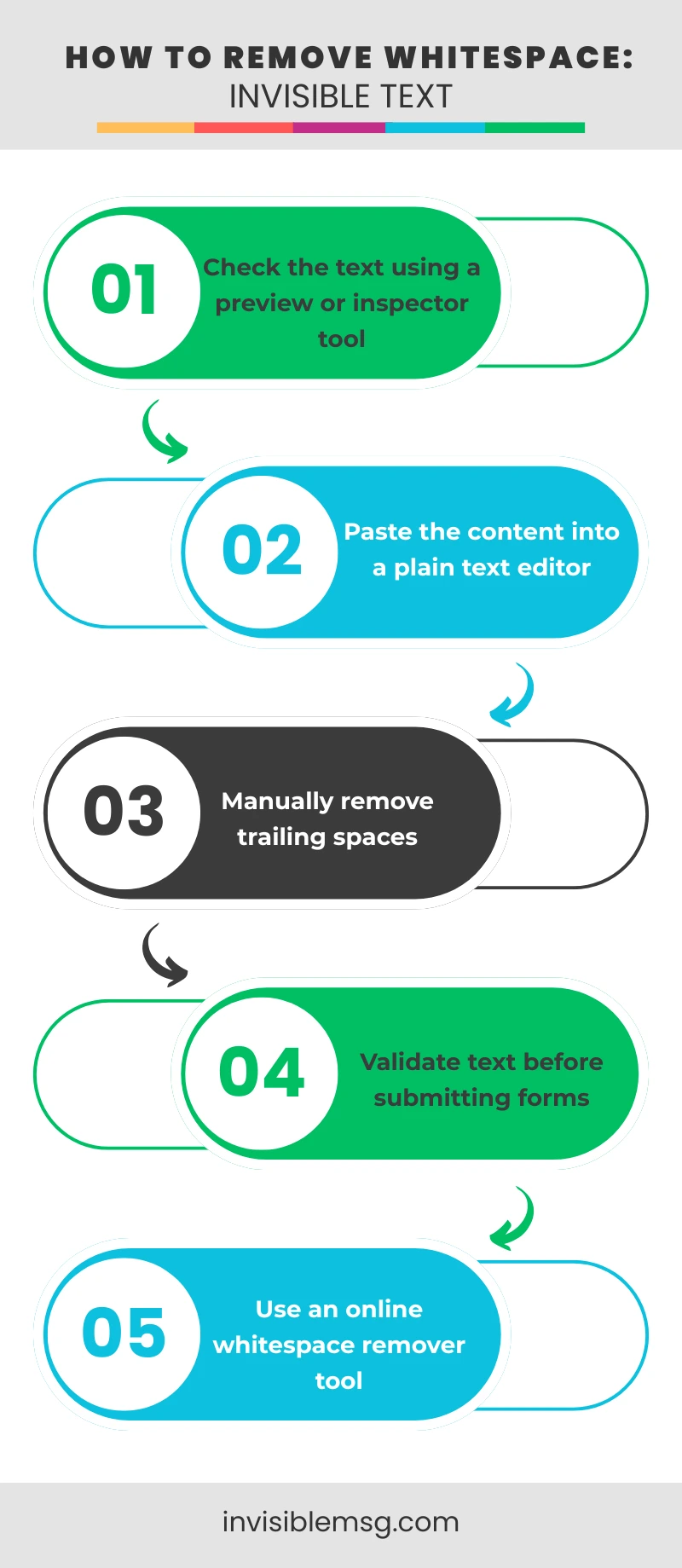
The fastest way to remove them is to paste your text into a plain text editor (Notepad on Windows, TextEdit in plain text mode on Mac) and look for unexpected cursor movement. You can also use our invisible character detector to identify exactly which invisible characters are in any piece of text.
Safe Use Guidelines
Invisible characters are a creative and formatting tool. Using them responsibly keeps your accounts safe and your content readable.
- Do not use invisible characters to hide misleading information.
- Avoid excessive use — spam filters detect patterns of blank content.
- Always preview before publishing to a public profile.
- Check each platform's community guidelines before use.
- After platform updates, re-test — validation rules change.
Frequently Asked Questions
Common questions about invisible characters, how to use them in usernames, why they sometimes stop working, and how to pick the right one for each platform — updated for 2026.
How do I create a fully blank username?
▼
Copy a zero-width Unicode character such as ZWSP (U+200B) or Hangul Filler (U+3164) from the generator above, then paste it into the username field. The platform sees a valid character but displays nothing visible.
Why does my blank name disappear after saving?
▼
Some platforms strip zero-width characters during server-side validation. Try switching to NBSP (U+00A0) or Braille Blank (U+2800), which are less likely to be filtered. Always test after each platform update.
Which invisible character is safest for Instagram in 2026?
▼
ZWSP (U+200B) and NBSP (U+00A0) are the most reliable choices for Instagram bios and highlight names in 2026. NBSP tends to survive platform updates better because it has a longer standard history.
Can I use invisible characters on iPhone?
▼
Yes. Copy any character from the generator above and paste it into iMessage or any other app. For the Invisible Ink blur effect that hides messages with an animation, see our dedicated guide.
Is using invisible text against platform rules?
▼
Generally no, for styling purposes. Unicode characters are standard text and most platforms allow them. The exception is using them to hide misleading content or bypass content filters, which violates community guidelines.
How do I check if an invisible character was copied correctly?
▼
Paste it into the preview box in the generator. If the preview shows blank space between the markers, the character copied correctly. You can also use our invisible detector tool to inspect any text.
Does invisible text work on PUBG Mobile and BGMI?
▼
Yes. Hangul Filler (U+3164) is the most reliable character for blank PUBG Mobile and BGMI usernames in 2026, as it is rarely filtered by the in-game name validator.
How do I send a blank WhatsApp message?
▼
WhatsApp blocks plain spacebar input as a message. Copy a Unicode blank character such as NBSP (U+00A0) from the generator and paste it into the message box, then send.
How do I get an invisible name on TikTok?
▼
Copy Zero-Width Space (U+200B) and paste it into the TikTok username or display name field. TikTok's validator accepts it as a real character, so the name field saves successfully while appearing blank.
Why does my invisible text show as a box or question mark?
▼
This happens when the device font cannot render that specific Unicode character. Try a different blank character from the list — Hangul Filler and NBSP have the widest font support across devices.
How do I remove invisible characters from a string?
▼
Paste the text into a plain text editor and watch for unexpected cursor movement, or use a dedicated invisible character detector tool to identify and strip hidden Unicode characters from any text.
What is the difference between Zero-Width Space and a regular blank space?
▼
A regular space (U+0020) is visible and is usually stripped by platform validators when used alone. Zero-Width Space (U+200B) has no visible width but counts as a real character, so it passes validation while remaining invisible.
Can invisible characters affect accessibility or screen readers?
▼
Overuse of invisible characters can cause screen readers to read out unexpected pauses or skip content. Use them sparingly in public-facing text, and avoid them entirely in content meant to be read by assistive technology.
Is this invisible text generator free to use?
▼
Yes, the tool is completely free with no sign-up required. All characters can be copied and used for unlimited purposes.
Can invisible characters be used for malicious purposes?
▼
Invisible characters can be misused to disguise text or bypass spam filters, which is why security researchers study them to detect homograph attacks. Responsible use is limited to formatting, usernames, and creative styling.
Which invisible character works best for Discord in 2026?
▼
Braille Pattern Blank (U+2800) is the most reliable choice for Discord usernames and blank messages, as Discord's validator treats it as a standard printable character.
Can I generate multiple invisible characters at once?
▼
Yes. Use the custom-length string builder in the generator to set a quantity between 1 and 100, then copy the full string in one click for use in captions or longer blank gaps.
What is Hangul Filler and why is it so popular for gaming?
▼
Hangul Filler (U+3164) is a Unicode character originally designed as a placeholder in the Korean Hangul writing system. It renders as a full-width blank on most fonts and passes game validators because it is classified as a letter, not whitespace — making it the top choice for blank usernames in PUBG, Free Fire, BGMI, and Fortnite.
How do I make a blank Instagram story highlight name?
▼
Open Instagram, tap and hold a highlight, select Edit Highlight, then tap the name field and delete the existing text. Paste NBSP (U+00A0) or Hangul Filler from the generator. Tap Done. The highlight title disappears completely.
Why do platforms like Instagram strip regular spaces?
▼
Most platforms apply server-side whitespace trimming to prevent empty submissions. Standard spaces (U+0020) are removed first. Unicode blank characters like NBSP, ZWSP, and Hangul Filler are classified differently in the Unicode standard and often bypass this trimming logic.
Can I use invisible text in Free Fire guild names?
▼
Yes. Free Fire guild names accept Hangul Filler (U+3164) and Braille Blank (U+2800). Paste the character into the guild name field just like a regular username. The guild will appear with a blank name in the game interface.
Does invisible text work in Roblox display names?
▼
Roblox allows Hangul Filler (U+3164) in display names as of 2026. Note that Roblox usernames have stricter validation than display names. Always test in your account settings before applying publicly.
What is a homograph attack and how do invisible characters relate?
▼
A homograph attack uses visually similar or invisible Unicode characters to make a malicious URL or username look identical to a trusted one. Security systems scan for these characters to prevent impersonation and phishing.
How do I add invisible padding to a TikTok bio?
▼
In TikTok's Edit Profile, tap the Bio field and paste ZWSP or NBSP characters between lines to create visual separation. Using 2-3 invisible characters between lines creates clean blank gaps without visible symbols.
What is the Braille Pattern Blank character?
▼
Braille Pattern Blank (U+2800) is the Unicode character for an empty Braille cell — a pattern with no raised dots. On most digital fonts it renders as a white square of standard character width. Discord treats it as a printable character, making it the preferred choice for blank Discord names.
Can invisible characters be detected by spam filters?
▼
Yes. Modern spam systems flag patterns of zero-width characters, especially in large quantities. Using one or two invisible characters for styling is generally safe. Filling entire messages with dozens of invisible characters may trigger filters on YouTube, LinkedIn, and Gmail.
What is the difference between invisible text and white text?
▼
White text is normal text colored to match a white background — still selectable. Invisible Unicode characters are actual blank code points with no glyph at all — invisible on any background and in search results.
How do I use invisible characters in an email signature?
▼
In Gmail or Outlook, open the signature editor, position your cursor where you want extra spacing, and paste NBSP (U+00A0) or EM Space (U+2003). These survive HTML email rendering better than extra line breaks, which some clients collapse.
Does the invisible character generator work on Android and iOS?
▼
Yes. The generator is fully browser-based and works on Android Chrome, iOS Safari, and all modern mobile browsers. Tap Copy and the character is placed in your clipboard, ready to paste into any app.
What are zero-width joiners and non-joiners used for originally?
▼
Zero-Width Joiner (U+200D) and Zero-Width Non-Joiner (U+200C) were created for complex scripts like Arabic and Devanagari, where the same letter has different shapes depending on whether it connects to adjacent letters. In modern use, ZWJ also combines emoji — the family emoji sequences use multiple ZWJ characters to join individual emoji into one image.