
Fancy Text Generator – 100+ Cool Fonts & Stylish Unicode Text
Every platform gives you the same plain text and zero font options — but that does not mean your bio, username, or caption has to look like everyone else's. This fancy text generator instantly converts your normal text into 100+ stylish Unicode font styles that work on any platform, any device, without installing anything.
Paste generated fonts directly into your Instagram bio , create a unique Discord username , style your TikTok display name , or make Twitter and WhatsApp posts stand out — all with a single copy and paste. No font install. No account needed. Completely free.
Fancy Text: 100+ Font Styles, One Click Copy
Type your text below and instantly get stylish font styles you can copy and paste anywhere.
Fancy Text Generator – Free Unicode Font Converter
[ ]Tip: Generated fonts use Unicode characters — paste them anywhere without installing any font. Works on Instagram, Discord, TikTok, PUBG, and more.
What Is Fancy Text?
Fancy text is regular text converted into stylish-looking Unicode characters. Unicode is a universal encoding standard — every modern device and operating system supports it natively. Fancy text characters look like different fonts, but they are actually individual Unicode code points, not CSS font styling applied on top of normal letters.
This is why you see people using 𝓬𝓾𝓻𝓼𝓲𝓿𝓮, 𝔤𝔬𝔱𝔥𝔦𝔠, or Ⓑⓤⓑⓑⓛⓔ text in their Instagram bios and Discord names. Platforms that block font changes cannot block Unicode characters — because they are just text characters, not a font file.
Fancy text can be used for creative bios, styled usernames, aesthetic captions, gaming display names, and even WhatsApp status messages. The text looks different everywhere it is pasted, but it behaves exactly like any other typed text.
Did you know? You can combine fancy text with invisible text characters — zero-width Unicode spaces — to create unique spacing effects in usernames and bios that no one else has. Many users use both tools together for a completely custom profile look.
Fancy Text Generator: Core And Advanced Features
This tool generates all major Unicode font styles instantly and lets you copy them with one click. Whether you need something elegant, bold, playful, or completely unique, there is a style for every platform. Here are the main features:
One-Click Font Copy
Every generated font style has its own Copy button. You do not need to manually select text — just click and the styled Unicode text is on your clipboard, ready to paste anywhere. Clean copy with no extra characters or formatting errors, every single time.
Best for: Instagram bios, Discord usernames, TikTok display names, WhatsApp status, and Twitter/X profiles.
100+ Unicode Font Styles
From classic cursive and bold to bubble letters, gothic blackletter, strikethrough, small caps, and glitch text — every style is generated from real Unicode characters. These are not images or CSS effects, they are actual text that works anywhere you can type.
Popular styles: 𝓒𝓾𝓻𝓼𝓲𝓿𝓮 • 𝗕𝗼𝗹𝗱 • 𝐼𝑡𝑎𝑙𝑖𝑐 • Ⓑⓤⓑⓑⓛⓔ • 𝔊𝔬𝔱𝔥𝔦𝔠 • S̶t̶r̶i̶k̶e̶ • ꜱᴍᴀʟʟ ᴄᴀᴘꜱ
Works on Every Platform Without Fonts
Since the output uses Unicode standard characters, no fonts need to be installed on your device or the reader's device. The styled text looks identical for everyone who sees it — on any phone, computer, or app. No plugins, no downloads, no setup required.
Best for: Instagram, Discord, TikTok, Twitter, YouTube, Facebook, PUBG, Free Fire, Fortnite, Roblox, and more.
How to Use the Fancy Font Generator
Using this tool takes about 10 seconds. No account, no download, no technical steps required. Just type or paste your text into the input box and all font styles generate instantly below it.
Scroll through the styles to find the one you like, then click Copy. The text is now on your clipboard ready to paste wherever you need it — Instagram bio, Discord nickname, TikTok name, or anywhere else.
Before using the text publicly, paste it into a notes app or the preview section to see exactly how it looks. Some platforms render certain Unicode characters slightly differently, so a quick check avoids surprises.
It works fully on mobile browsers too. Especially useful for Discord fancy names , TikTok display names , and creative Instagram bios .
How to Copy and Paste Fancy Text
Copying fancy text is simple with the right tool. Unicode font characters cannot be typed manually on a keyboard, so a generator is used to create them. This tool also includes a preview so you can check how the styled text looks before applying it anywhere.
Type Your Text
Enter any name, word, or phrase in the input box above.
Browse 100+ Styles
All font styles generate below the input instantly — no wait.
Click Copy
Hit the Copy button next to whichever style catches your eye.
Paste Anywhere
Paste into Instagram, Discord, TikTok, games, or any app.
Copy, Preview, and Use Fancy Fonts
- Type your text and all styles generate instantly
- Click Copy next to the style you want
- Paste into Instagram, Discord, TikTok, or any app
- Preview in a notes app first if layout matters
- Test on both mobile and desktop for best results
Why You Cannot Type Fancy Fonts on a Keyboard
- Standard keyboards only produce regular ASCII characters
- Fancy text uses Unicode code points outside the normal keyboard range
- A generator maps your letters to the correct Unicode characters automatically
- Paste the copied text wherever you need it — no extra steps
Fancy Text – Where Can You Use It?
Because fancy text uses standard Unicode characters, it works on almost every platform and app. Here is where people use it the most — and what style works best in each place:
Style bios, name fields, captions, and story text. Cursive and Bold styles work best. Combine with invisible blank space characters for unique bio layouts no one else has.
🎮 Discord
Create unique usernames and server nicknames that stand out in every channel. Use invisible Discord name tricks alongside fancy text for the most creative results.
🎵 TikTok
Stand out with styled display names and video captions. Your TikTok name is the first thing viewers see — make it memorable with a unique font style.
🎯 PUBG & Free Fire
Design creative gaming usernames and clan tags. Gothic and Bold Unicode styles work best in most mobile games. Test before finalizing your name.
🐦 Twitter / X
Use fancy text in tweets, bio, and display names to increase visual contrast in the timeline. Bold and Small Caps styles are most readable in short posts.
💬 WhatsApp & Telegram
Use in status messages, group names, and chat messages. Cursive and Italic styles create a personal, elegant look for WhatsApp bios and Telegram channels.
Benefits of Using a Fancy Text Generator
Stand Out Without Breaking Rules
Platforms like Instagram, Discord, and TikTok give everyone the same plain text. Fancy Unicode text is one of the only ways to look different without violating any platform rules.
Works Reliably Everywhere
Since every style is a real Unicode character, it works across every device, OS, and app. You do not need any technical knowledge — the tool handles all Unicode mapping automatically.
Preview Before You Publish
Check how your bio or username looks before posting it anywhere. You can adjust the style if something does not look right — saving time and avoiding formatting mistakes.
Understanding Unicode Font Styles
Unicode font styles are special characters assigned unique code points within the Unicode standard. They visually resemble styled fonts but are standalone characters — not formatting applied on top of normal text. This distinction is what makes them so powerful: they travel with the text wherever it is pasted, maintaining their appearance on every device.
If a character renders as a small box instead of the intended style, it means the device or font does not support that specific Unicode block. Simpler styles like Bold and Small Caps have broader support across all devices. More decorative styles like Gothic or Bubble may not render correctly on very old devices or outdated apps. Always preview before publishing.
Cursive & Script Fonts: Most Popular Style for Instagram and TikTok
Cursive or script-style fancy text is the most commonly used style across Instagram bios, TikTok names, and aesthetic captions. Characters like 𝓗𝓮𝓵𝓵𝓸 𝓦𝓸𝓻𝓵𝓭 come from the Mathematical Script block in Unicode (U+1D400 range). They look elegant, personal, and creative — exactly what people want their bios to feel like.
Cursive Unicode text works on nearly every modern platform because it falls within a widely supported Unicode block. It is a safe choice if you want stylish text that renders correctly across iOS, Android, Windows, and Mac devices without any setup.
You can use it for anything from a personal Instagram bio to a gaming clan name. It gives a handwritten calligraphy look without needing any design skills, font files, or apps. Just type, copy, and paste.
Top Fancy Font Styles You Can Copy & Paste Right Now
All styles below are generated using Unicode. They look like fonts but require no installation — the styled text works everywhere as plain text. Use the generator above to get any of these styles for your own text instantly.
Fancy Font Style Reference Table
| Style Name | Preview | Unicode Block | Compatibility | Best Use |
|---|---|---|---|---|
| Cursive Script | 𝓗𝓮𝓵𝓵𝓸 | U+1D400 | ★★★★★ | Instagram bio, TikTok |
| Bold | 𝗛𝗲𝗹𝗹𝗼 | U+1D400 | ★★★★★ | Captions, Twitter |
| Italic | 𝐻𝑒𝑙𝑙𝑜 | U+1D400 | ★★★★★ | Bios, descriptions |
| Bold Italic | 𝑯𝒆𝒍𝒍𝒐 | U+1D400 | ★★★★★ | Emphasis, hooks |
| Bubble / Circle | Ⓗⓔⓛⓛⓞ | U+2460 | ★★★★☆ | Gaming names, Discord |
| Gothic / Blackletter | 𝔥𝔢𝔩𝔩𝔬 | U+1D400 | ★★★★☆ | PUBG, Free Fire names |
| Small Caps | ʜᴇʟʟᴏ | U+1D00 | ★★★★★ | Clean usernames |
| Strikethrough | H̶e̶l̶l̶o̶ | U+0336 | ★★★★★ | Tweets, creative posts |
| Monospace | Hello | U+FF21 | ★★★★☆ | Tech vibes, Discord |
| Double Struck | ℍ𝕖𝕝𝕝𝕠 | U+1D538 | ★★★☆☆ | Math aesthetic, bios |
| Glitch / Zalgo | H̷e̷l̷l̷o̷ | U+0300 | ★★★★☆ | Horror themes, edgy names |
| Superscript | ᴴᵉˡˡᵒ | U+0000 | ★★★★☆ | Subtle styling, footnotes |
How Unicode Fancy Fonts Work – A Deep Dive
Unicode is a universal encoding standard that assigns a unique code point to every character used across all languages and writing systems. It does not just cover normal letters — it includes thousands of look-alike characters that visually resemble bold, italic, cursive, and decorative fonts.
When you use a fancy text generator, it maps each letter you type to a different Unicode character. For example, the regular letter "A" becomes "𝓐" (cursive) or "𝔸" (double-struck) depending on the selected style. These are completely different characters — not the same "A" with CSS styling on top.
Because they are real characters and not font formatting, they travel with the text wherever it is pasted. This is exactly why styled text works inside Instagram bios, Discord usernames, and game names — all places where changing the actual font is not allowed.
- Mathematical Alphanumeric Symbols (U+1D400 block): Covers bold, italic, script, fraktur, and double-struck styles. Most widely supported fancy font block.
- Enclosed Alphanumerics (U+2460 block): Provides circled and bubble letter styles used for gaming names and decorative text.
- Fullwidth Latin (U+FF21 block): Creates the wide aesthetic text seen in vaporwave and retro-style usernames.
- Combining Diacritics (U+0300 block): Used to create strikethrough, underline, and glitch/Zalgo effects that overlay characters.
- Phonetic Extensions (U+1D00 block): Powers small caps styles — a clean, professional-looking option with near-universal device support.
Platform-Specific Guide: Best Fancy Font for Each App
Not all font styles work equally well on every platform. Here is a quick reference for which styles perform best where — saving you time testing before you post.
Instagram Bio & Name
Instagram supports most Unicode blocks reliably. Cursive Script is the most popular choice for bios because it renders cleanly on both iOS and Android. Bold and Small Caps are great for structured, minimal bios. Pair with blank space characters to create clean line breaks and spacing inside your bio.
Best styles: 𝓒𝓾𝓻𝓼𝓲𝓿𝓮 • 𝗕𝗼𝗹𝗱 • ꜱᴍᴀʟʟ ᴄᴀᴘꜱ
Discord Username & Nickname
Discord renders most Unicode styles well on desktop and mobile. For usernames that show in chat, Bold and Monospace styles are most readable. For server nicknames, you can go bolder — Gothic and Bubble styles look great in member lists. Some users also add invisible characters to Discord names for extra customization.
Best styles: 𝗕𝗼𝗹𝗱 • 𝔊𝔬𝔱𝔥𝔦𝔠 • Ⓑⓤⓑⓑⓛⓔ
TikTok Display Name
TikTok supports most Unicode characters in display names. Cursive and Bold Italic styles are most popular because they look great in the feed and on profile pages. Your TikTok name appears next to every video — a styled name gets remembered faster than a plain one.
Best styles: 𝓒𝓾𝓻𝓼𝓲𝓿𝓮 • 𝑩𝒐𝒍𝒅 𝑰𝒕𝒂𝒍𝒊𝒄 • ꜱᴍᴀʟʟ ᴄᴀᴘꜱ
PUBG, Free Fire & Mobile Games
Most mobile games support a subset of Unicode in display names. Gothic (Blackletter) and Bold styles have the widest compatibility in games. Avoid Zalgo/Glitch styles in game names as they may get rejected by the platform filter. Always test a short version of the name before finalizing it in-game.
Best styles: 𝔊𝔬𝔱𝔥𝔦𝔠 • 𝗕𝗼𝗹𝗱 • Ⓑⓤⓑⓑⓛⓔ
Fancy Text vs Invisible Text: What Is the Difference?
Many users confuse fancy text with invisible text. Both use Unicode characters, but they work in completely different ways and serve different purposes — understanding the difference helps you use the right tool for the right situation.
Fancy Text (This Tool)
Replaces normal letters with stylish Unicode look-alike characters. The result is fully visible, readable text that looks like a different font. The goal is to make text look more attractive, unique, or creative in bios, names, and captions.
Example: 𝓗𝓮𝓵𝓵𝓸 𝓦𝓸𝓻𝓵𝓭
Invisible Text (Different Tool)
Uses zero-width or blank Unicode characters that take up space but render nothing on screen. The goal is to create a blank-looking username, empty message, or hidden spacing — not to change how letters look.
Try it: Invisible Text Generator →
Many users actually combine both — a styled name with invisible spacing for a completely unique layout effect. You can generate fancy text here, then use the invisible text generator to add zero-width characters between letters or at the start of a bio line for spacing that no other tool can produce.
Why Fancy Text Sometimes Doesn't Show Up in Search
This is worth knowing before you style a username or bio you actually want people to find: 𝓒𝓾𝓻𝓼𝓲𝓿𝓮 "hello" and regular "hello" are not the same characters underneath, even though a person reading them sees the same word. Search systems — whether it's a platform's internal search, Google, or a friend typing your name into a search box — generally match on the literal characters, not on what they visually resemble.
In practice, this means someone searching for your normal username won't reliably find a profile using a fully styled version of that name, since the underlying text doesn't match. This matters most for things people need to be findable for — Discord usernames friends search by, business names, or anything meant to be looked up later.
For bios, captions, or one-off posts this rarely matters, since nobody's searching for the exact wording anyway. It's really only a consideration when the fancy text replaces something functional, like a username or a page title, rather than decorative, like a caption or a bio line.
What Doesn't Convert — Non-Latin Text and Some Symbols
Most fancy text styles are built on Unicode blocks that only cover the Latin alphabet — A through Z, upper and lowercase. If you type something in Hindi, Urdu, Arabic, Chinese, or another non-Latin script, those characters typically pass through unchanged, since there's no styled equivalent defined for them in the same Unicode block.
Numbers behave differently depending on the style — some styles include styled digit equivalents (a stylized 0–9), while others leave numbers as-is even when the surrounding letters get fully converted. If a name or phrase mixes letters and numbers, it's worth checking the output carefully, since the two might end up in different visual styles side by side.
Punctuation and spaces are usually left alone entirely across every style, which is actually useful — it means multi-word phrases keep their normal spacing rather than collapsing or breaking apart.
A Consideration for Screen Reader Users
Since fancy text characters are technically different code points from regular letters, screen readers don't always announce them the same way. Depending on the software, a styled "Hello" might get read letter by letter, described by its Unicode name, or in some cases skipped entirely if the screen reader doesn't recognize the character block.
This isn't a reason to avoid fancy text altogether, but it's worth keeping in mind for anything meant to be read by a wide audience — a business name, an important announcement, or contact information. For those cases, plain text paired with a styled decorative element around it tends to work better than styling the entire message.
There's No "Undo" Button — Keep Your Original Text
Converting text to a fancy style is a one-way operation. There's no built-in way to take 𝓼𝓽𝔂𝓵𝓮𝓭 text and automatically turn it back into plain "styled" — the tool would have no way to know which regular letter each styled character originally came from without a separate reverse-lookup step.
If you're styling something you might need to edit later — a long bio, a username you might rename, or text you'll need to search and replace — it's worth keeping the plain version saved somewhere separately, rather than relying on being able to convert the styled version back.
Common Issues with Fancy Text & How to Fix Them
Some Unicode characters in fancy font styles are not supported by every app or font. On older devices or certain platforms, unsupported characters may appear as empty boxes or question marks instead of the intended style. If this happens, try a different style — Bold, Small Caps, and Italic have the widest compatibility across all devices.
Some platforms also restrict specific Unicode ranges in username fields. Gaming platforms in particular may only accept certain character sets, and platform filters can change with updates. If one style does not work in a username, try a simpler one from the generator — Bold and Gothic are usually safe choices.
Responsible Use of Fancy Text
Fancy text should be used for personal expression and creative styling. Misuse such as impersonating other accounts or attempting to bypass platform moderation can lead to account restrictions or bans.
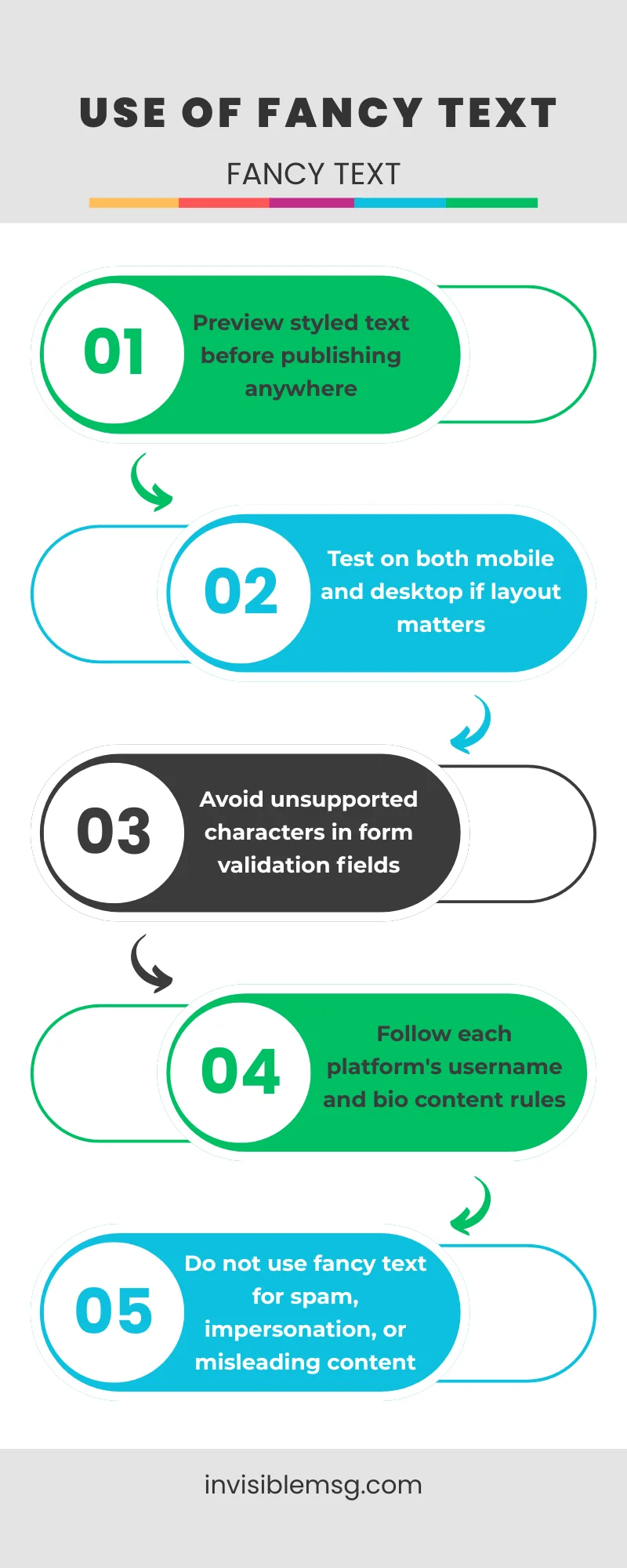
- Preview styled text before publishing anywhere
- Test on both mobile and desktop if layout matters
- Avoid unsupported characters in form validation fields
- Follow each platform's username and bio content rules
- Do not use fancy text for spam, impersonation, or misleading content
Fancy Text for Every Use Case: Platform & Style Guide
Fancy Text Generator for Instagram Bio
Instagram does not let you change the font in your bio — but Unicode characters let you create the same effect without breaking any rules. Use cursive or script styles for an elegant, aesthetic look. Use bold for a statement bio that draws attention. Combine with line breaks and blank space Instagram characters to structure your bio cleanly.
Cool Fonts Generator for Discord Username
Your Discord username appears in every server and every message. A styled name with Gothic, Monospace, or Bubble Unicode text makes you instantly recognizable. Some users even stack fancy text with invisible Discord name characters for a name that looks completely blank in member lists — a popular trick in gaming servers.
Stylish Text Generator for TikTok Name
A styled TikTok display name builds brand recognition across your videos. Cursive and Bold Italic styles are the most popular choices because they look professional and render correctly on all devices. For creators who want to stand out even more, invisible name tricks for TikTok can create blank or minimalist usernames that go viral in comment sections.
Font Changer for PUBG & Free Fire Names
Creative gaming names get noticed in lobbies and kill feeds. Gothic Blackletter and Bold Unicode styles are the most compatible with PUBG and Free Fire name filters. Use this fancy text generator to try multiple styles quickly — find one that looks great, passes the platform filter, and stands out in the game.
Frequently Asked Questions
Common questions about fancy text, Unicode fonts, and how to use them correctly across different platforms. If your question is not answered here, try the tool above — most answers become obvious after one use.
What is a fancy text generator?
▼
A fancy text generator is a free online tool that converts normal letters into stylish Unicode characters. These characters look like different font styles — bold, cursive, gothic, bubble — but are actual text characters that copy and paste into any platform without installing fonts.
Why does fancy text work on Instagram and Discord?
▼
Fancy text uses Unicode standard characters, not a font file. Every modern device and app supports Unicode natively, so the styled text looks identical for everyone who reads it — no font installation required on their end.
Is this fancy text generator free?
▼
Yes, completely free. No account, no sign-up, no download, and no usage limits. Just type your text, copy the style you want, and paste it anywhere.
Why does fancy text show as boxes on some devices?
▼
Some Unicode blocks are not supported by all device fonts. If boxes or question marks appear instead of the styled text, try a simpler style like Bold or Small Caps — these have much wider compatibility across older devices and apps.
Can I use fancy text in PUBG or Free Fire usernames?
▼
Yes, many Unicode font styles work in PUBG and Free Fire display names. Some styles may get blocked depending on platform updates. Gothic and Bold styles generally have the best compatibility in games — try a few options if one does not work.
Which fancy text style works best for Instagram bio?
▼
Cursive Script (𝓗𝓮𝓵𝓵𝓸) and Bold (𝗛𝗲𝗹𝗹𝗼) have the widest support on Instagram. Cursive gives an elegant aesthetic feel, while Bold is clean and readable on every device. Both copy and paste without issues on iOS and Android.
What is the difference between fancy text and invisible text?
▼
Fancy text replaces letters with stylish visible Unicode characters. Invisible text uses zero-width Unicode characters that take up space but show nothing on screen. Both use Unicode — just for completely different purposes. You can combine them for unique bio and username effects.