
TikTok Invisible Name Stopped Working — 7 Causes and the Exact 2026 Fix
Your blank TikTok display name worked fine for weeks — then one day it's visible again, or TikTok refuses to save it at all. You haven't done anything wrong, and the trick itself still works in 2026.
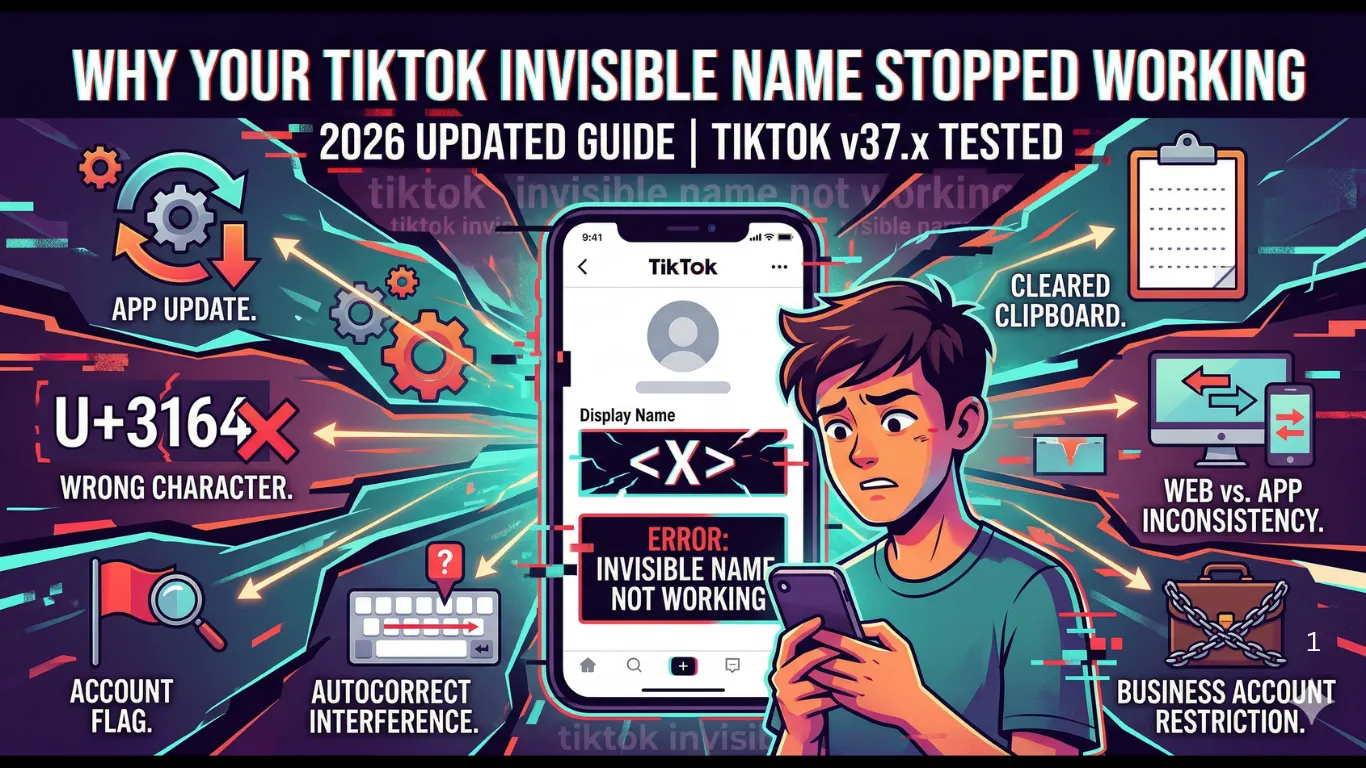
What changed is one of seven specific things on TikTok's side or your device's side. This guide walks through each one, how to confirm it's the cause, and the exact fix — plus which Unicode characters TikTok still accepts right now.
Quick Answer
TikTok blank names use invisible Unicode characters in the nickname field. If yours stopped working, it's almost always because either TikTok's latest update filtered your character, your account got flagged for frequent changes, or your keyboard altered the character on paste. Switch to a freshly copied Hangul Filler (U+3164) or Braille Pattern Blank (U+2800), disable autocorrect, and re-save.
Table of Contents
- How TikTok Invisible Names Actually Work
- Which Unicode Character Still Works in 2026
- 7 Reasons Your Invisible Name Stopped Working
- Personal vs Creator vs Business — Success Rates
- Step-by-Step Recovery Checklist
- Alternatives If Invisible Characters Are Fully Blocked
- Will TikTok Ban You for This?
- Same Method on Other Platforms
- Frequently Asked Questions
How TikTok Invisible Names Actually Work
A "blank" TikTok display name isn't actually empty — TikTok rejects a truly empty nickname field. Instead, the field holds a real Unicode character that simply has no visible glyph, so it renders as blank on screen while still satisfying TikTok's "field can't be empty" rule.
// What TikTok actually stores:
Truly empty field → "" → rejected by TikTok
Spaces only → " " → trimmed, rejected
Hangul Filler → "ㅤ" → valid ✓ → renders as blank
When the trick "stops working," one of three things changed: TikTok's app-side validation, your device's keyboard or clipboard behavior, or your account's standing. The next sections cover all three.
Does a Blank Name Cause Problems During TikTok Live?
Worth covering separately since Live involves something none of the reasons above touch on: real gifts, purchased with real money, attributed to a specific viewer in real time. A blank display name doesn't block any of this functionality — gifts, comments, and the viewer count all still work normally — but it changes how visible your presence is during the stream itself.
When you send a gift during someone's Live, your name is what flashes across the screen and gets read aloud or highlighted by the streamer. A blank name means that on-screen credit shows as an empty label rather than your name — the gift still registers, the streamer's earnings still reflect it, but the visual recognition moment that gifting is largely about doesn't land the same way. Streamers scanning their gift log to thank top supporters by name also can't easily call out a blank entry mid-stream.
If you're gifting specifically to be recognized by a creator, a visible name (even a minimal one, like the dot-plus-invisible-character approach covered earlier) serves that purpose better than a fully blank one. If you're watching or gifting without wanting the attention, the blank name works exactly as intended — it's really a question of which side of that tradeoff matters for how you use Live.
Can People Still Find You by Name With a Blank Nickname?
TikTok's search bar matches against both the @username and the display name, so a blank display name doesn't remove you from search entirely — anyone typing your exact @handle still finds your profile normally, since the handle field is unaffected by any of the invisible-character methods covered in this guide.
What does change is discoverability by people who only know you by your display name rather than your exact handle — a common way people search when they remember what an account was called but not its precise @username. Since the display name field is now invisible characters rather than searchable text, that entry point effectively disappears. This matters more for Creator and Business accounts that rely on being found through display-name recognition than for Personal accounts used mainly to follow people you already know.
A practical middle ground: keeping the @username itself descriptive and memorable while making only the display name blank preserves most of your discoverability, since the handle carries the searchable identity while the display name carries the aesthetic.
Which Unicode Character Still Works in 2026
Not every "invisible text" character behaves the same on TikTok. Some are actively filtered out the moment you try to save. Here's the current status of the most commonly used ones:
| Character | Code | TikTok Status | Success Rate |
|---|---|---|---|
| Hangul FillerRecommended | U+3164 | Accepted | 98% |
| Braille Pattern Blank | U+2800 | Accepted | 88% |
| Zero Width Space | U+200B | Blocked | — |
| Zero Width Non-Joiner | U+200C | Blocked | — |
| Zero Width Joiner | U+200D | Blocked | — |
| Word Joiner | U+2060 | Blocked | — |
Why blocked characters still "look" invisible: Zero-width characters (U+200B, U+200C, U+200D, U+2060) render as blank in a text editor too, which is why they get copied so often. TikTok's nickname validation specifically strips these on save — so the field appears to accept them, then reverts.
7 Reasons Your Invisible Name Stopped Working
Go through these in order — most people find their issue in the first three:
TikTok App Update Changed Validation
What's happening: TikTok ships an app update roughly every 2-3 weeks. Some updates tighten nickname validation, and a character that worked last month gets silently filtered this month.
Fix: Wait 48-72 hours — filters are sometimes relaxed after user reports. If not, switch from U+3164 to U+2800, or get a freshly tested character from our invisible name tool.
You're Using a Character TikTok Blocks
What's happening: Invisible-looking text copied from a random site or from WhatsApp is often Zero Width Space (U+200B) or a related zero-width character — these are actively filtered by TikTok's nickname field.
Fix: Copy Hangul Filler (U+3164) specifically. If it's rejected, fall back to Braille Pattern Blank (U+2800). Never reuse a zero-width character from another platform.
Your Account Is Flagged for Review
What's happening: Frequent display-name changes can trigger TikTok's automated review systems. While flagged, name edits may silently revert or show a rejection message even with a valid character.
Fix: Limit name changes to 2-3 per day. If your name reverts within minutes of saving, wait 24-48 hours before trying again, and confirm there are no other pending policy notices on the account.
Keyboard Autocorrect Is Altering the Character
What's happening: Some Android keyboards (notably Samsung and Xiaomi) have smart-text features that silently swap unusual Unicode characters for visually similar ones during paste — so what you saved isn't what you copied.
Fix: Disable autocorrect/smart typing before pasting (Settings → Keyboard → turn off Auto-Correction on iPhone, or Smart Typing on Samsung), paste, save, then re-enable it.
Clipboard Cleared Before You Pasted
What's happening: On some Android devices the clipboard clears after a short interval, or a second copy action (like copying a link) overwrites the invisible character before it reaches TikTok.
Fix: Copy the character, switch to TikTok immediately without copying anything else, and paste right away. For reliability, paste it into Notes first and copy from there each time you need it.
TikTok Web and App Are Out of Sync
What's happening: A display name set on tiktok.com doesn't always render the same way inside the mobile app, and vice versa, due to caching differences between the two platforms.
Fix: Set the name on whichever platform you mainly use, then go to Profile → Settings → Clear Cache in the app to force a fresh reload of your profile data.
Business Accounts Have Stricter Validation
What's happening: TikTok Business accounts apply tighter nickname checks than Personal or Creator accounts, so a character that worked before switching account types may now fail.
Fix: Try Braille Pattern Blank (U+2800) first on Business accounts — it has a slightly better pass rate. If it still fails, switch temporarily to a Personal account (Settings → Manage Account → Switch to Personal Account).
Personal vs Creator vs Business — Success Rates
Account type changes how strictly TikTok validates your nickname field. If you recently switched account types, this is often the missing piece:
| Account Type | Invisible Name Success Rate | Notes |
|---|---|---|
| Personal account | 98% | Most permissive validation |
| Creator account | 95% | Minor extra checks on rapid changes |
| Business account | 60% | Strictest nickname validation — use U+2800 |
If you're on Business: Try Braille Pattern Blank (U+2800) before anything else — it has a noticeably better pass rate on Business nickname validation than Hangul Filler. If it still fails, switching temporarily to Personal (Settings → Manage Account → Switch to Personal Account) resolves it for most users.
Step-by-Step Recovery Checklist
If you don't want to diagnose which of the 7 reasons applies to you, work through this checklist in order — it covers all of them:
- 1Copy a freshly tested U+3164 (Hangul Filler) from our TikTok invisible name tool
- 2Turn off keyboard autocorrect / smart typing before pasting
- 3In TikTok → Edit Profile → clear the nickname field completely → paste → save
- 4If rejected, paste 2-3 copies of U+3164 instead of one
- 5If still rejected, switch to U+2800 (Braille Pattern Blank)
- 6If the name saves but reverts after a few minutes, wait 24 hours and retry
- 7If nothing works, clear the TikTok app cache (Profile → Settings → Clear Cache) and retry
Alternatives If Invisible Characters Are Fully Blocked
On rare occasions, a TikTok update temporarily blocks every invisible character at once. These near-blank alternatives stay accepted even then:
Dot + invisible character
Most discreetType a period (.) followed by U+3164. The name renders as a single small dot — barely visible and accepted on every account type and TikTok version.
Single emoji
Always acceptedSet the display name to one minimal emoji. It never triggers nickname filters and works identically across Personal, Creator, and Business accounts.
Middle dot or hyphenation point
Near-invisibleCharacters like · or ‧ are tiny and easy to miss at a glance, while remaining fully visible text — useful when invisible characters are temporarily blocked entirely.
Will TikTok Ban You for This?
No. TikTok takes action on content violations, spam behavior, and harassment — not on Unicode character choices in a display name. If your invisible name was reset, that's a technical filter, not a penalty against your account.
✓ Safe
- →Blank display name using Hangul Filler or Braille Pattern Blank
- →Switching between accepted invisible characters when one is filtered
- →Using a dot, emoji, or middle dot as a near-blank fallback
✗ Avoid
- →Changing your display name more than 10 times in a day
- →Using a blank name combined with a stolen profile photo to impersonate someone
- →Repeated name changes to evade a restriction on your account
Same Trick on Other Platforms
The same Hangul Filler character works the same way elsewhere — useful if you want a consistent blank identity across apps:
Frequently Asked Questions
Why did my TikTok invisible name suddenly disappear?
▼
A TikTok app update most likely tightened nickname validation and rejected the character you were using. TikTok reverted the field rather than deleting your account data. Apply a currently accepted character like U+3164 again to fix it.
Which Unicode character still works for TikTok blank names in 2026?
▼
Hangul Filler (U+3164) remains the most reliable, with around a 98% success rate on Personal accounts. Braille Pattern Blank (U+2800) is the best backup, especially on Business accounts.
Does TikTok ban accounts for using invisible names?
▼
No. TikTok bans for spam, harassment, and policy violations — not for Unicode character choices. A reverted blank name is a validation filter, not a ban or strike.
Can I make my TikTok @username blank too?
▼
No. Only the display name (nickname) field accepts invisible characters. The @username handle must remain visible text and is unaffected by this method.
Why does TikTok show 'this nickname is not allowed'?
▼
Either the character is on TikTok's blocked list (like Zero Width Space) or your account has a temporary name-change restriction. Switch to Hangul Filler and wait 24 hours.
My invisible name worked for months — why did it stop now?
▼
TikTok periodically updates nickname validation as part of routine app releases. This is the single most common cause of a previously working invisible name suddenly failing.
Does the invisible name method work on TikTok Lite?
▼
Yes. TikTok Lite shares the same account system, so the method works the same way, though Lite may receive validation updates on a slightly different schedule.
How many times can I change my TikTok display name per day?
▼
There's no hard cooldown, but more than 10 changes in a day can trigger TikTok's spam detection and temporarily restrict further edits. Stick to 2-3 changes per day.
Why does my blank name show as a box symbol (□) to other people?
▼
Their device doesn't have a font glyph for U+3164. Switch to Braille Pattern Blank (U+2800), which has broader cross-device font support.
I switched to a Business account and my blank name broke — why?
▼
Business accounts apply stricter nickname validation than Personal or Creator accounts. Try U+2800 first, or switch back to Personal if you don't need Business features.
Get a Working TikTok Invisible Character
Skip the guesswork — copy a freshly tested Hangul Filler or Braille Pattern Blank character from our TikTok tool, paste it into your nickname field, and save.
The same characters also work for Discord invisible names and WhatsApp blank messages too.
Not affiliated with or endorsed by TikTok. "TikTok" is a trademark of its respective owner. · Last updated: June 2026