
How to Send Invisible Text & Invisible Ink
Invisible text and invisible ink are two different ways of hiding messages. Many users search how invisible ink works, how to send an invisible message, and how to make text invisible, but they often get confused between these methods.
Invisible text usually works with special Unicode characters such as zero-width spaces. These characters do not show any visible space on the screen but are still recognized as real text. It is commonly used in blank names, WhatsApp messages, Facebook comments, adjusting layouts, and creating TikTok bios.
On the other hand, invisible ink is a hiding effect. The text exists normally but appears blurred and is revealed after an action or interaction.
Blank message Copy Paste 2026
Make Invisible Text Generator | Guide
[ ]Note: Preview markers are not copied. Zero-width characters remain invisible.
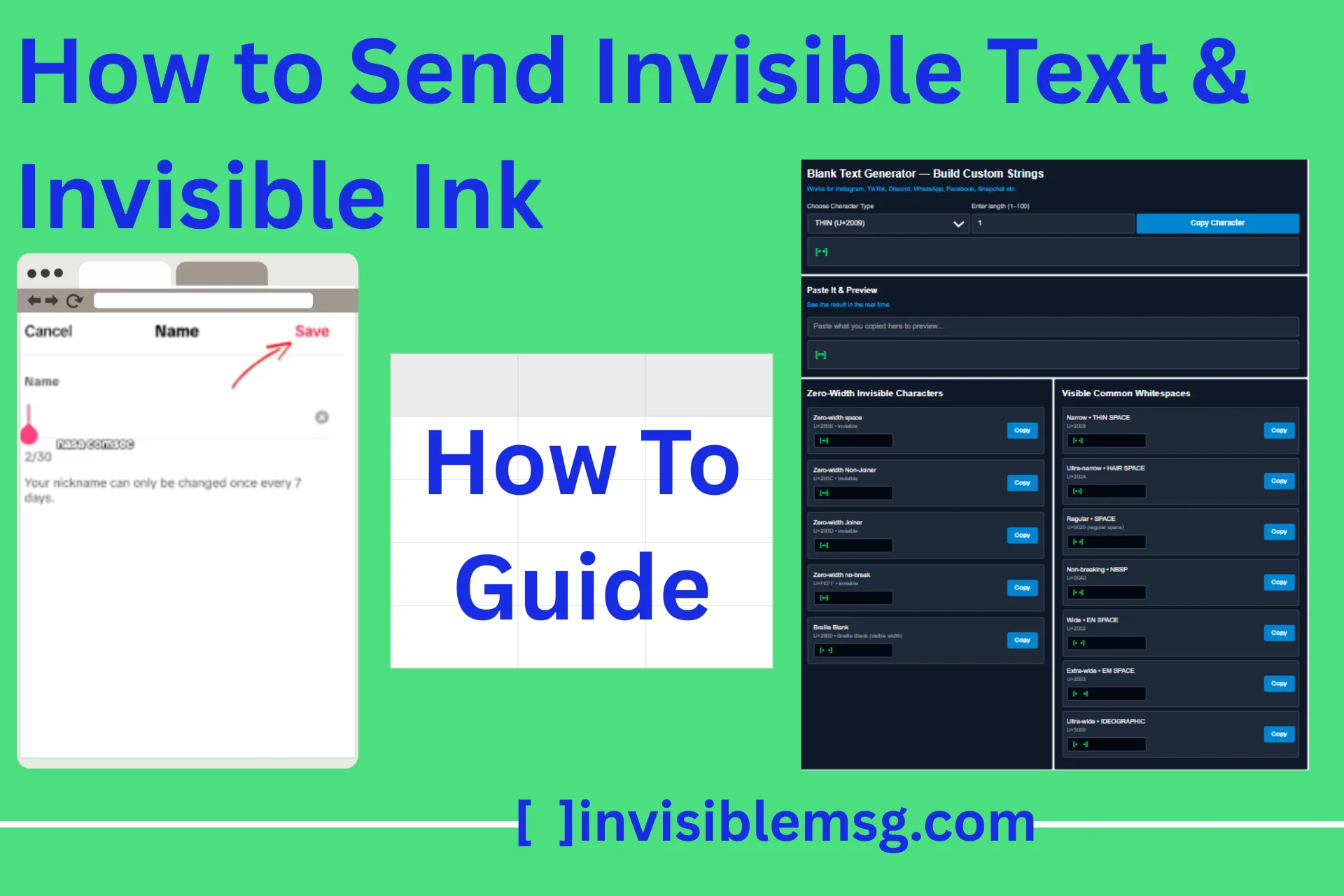
Blank Text Generator — Build Custom Strings
Works for Instagram, TikTok, Discord, WhatsApp, Facebook, Snapchat etc.
See the result in the real time
Zero-Width Invisible Characters
Zero-width space
U+200B • invisible
Zero-width Non-Joiner
U+200C • invisible
Zero-width Joiner
U+200D • invisible
Zero-width no-break
U+FEFF • invisible
Braille Blank
U+2800 • Braille Blank (visible width)
Visible Common Whitespaces
Narrow • THIN SPACE
U+2009
Ultra-narrow • HAIR SPACE
U+200A
Regular • SPACE
U+0020 (regular space)
Non-breaking • NBSP
U+00A0
Wide • EN SPACE
U+2002
Extra-wide • EM SPACE
U+2003
Ultra-wide • IDEOGRAPHIC
U+3000
Invisible Text vs Invisible Ink – Key Differences
When users try to hide text online, they usually think there is only one method. However, invisible text and invisible ink serve different purposes. One method uses Unicode characters, while the other works in a completely different way. invisible text is created using special hidden characters, whereas invisible ink appears as normal text but looks blurred or hidden until an interaction reveals it on the screen.
| Feature | Invisible Text | Invisible Ink |
|---|---|---|
| How it works | Uses Unicode characters | Uses visual masking or blur effect |
| Visibility | Looks completely blank | Text is hidden visually |
| Technical base | Zero-width or special characters | Visual display effect |
| Permanence | Stays until manually removed | Hidden until revealed |
| Use case | Blank usernames, spacing, formatting | Temporary hidden messages |
Invisible ink only creates a visual effect that changes how the message appears on the screen. It does not modify the actual text structure.
How to Send Invisible Text (Unicode Method)
Invisible text is actually not a normal blank space. It is built with special Unicode characters that show nothing on the screen, but the system still detects them as real text. These characters are called zero-width characters because they do not have any visible width.
When you send invisible text, it cannot be typed manually on the keyboard. Instead, you use a Unicode input method or an invisible text generator tool. In the generator tool, you can copy zero-width spaces and other blank characters, then paste them in different places like discord bios, Snapchat messages, and Instagram usernames.
This method is mostly used for adjusting layouts, adding spacing in designs, and creating blank usernames, as discussed above. However, one important thing is that some platforms detect and remove invisible characters. So it is better to test the text in a preview before using it.
How Invisible Ink Style Text Works
Invisible ink style text does not depend on Unicode. It does not use any zero-width or hidden characters. It only works as a visual-level effect.
In this method, the text is written normally and a visual effect is applied, such as blur, mask, or overlay. When the user performs an action like hover, click, or tap, the text is revealed and becomes visible on the screen.
The text is normally written in the system; it is not deleted or changed. It is only temporarily hidden from display.
These techniques are mostly used for:
- Creating a privacy effect
- Showing surprise messages
- Interactive UI design
- Frontend animations
Make Text Invisible Using HTML & CSS
Make text invisible using HTML and CSS is totally different in unicode methods. Here the text normally written in HTML, But the CSS hide the text in the screen. Its means the text was appear in code, but user was not seen this.
Note: HTML & CSS method only hides text visually. It does not create real invisible characters.
Using visibility: hidden;
- Text is Invisible
- But the Space was already taken in the page
.hidden {
  visibility: hidden;
}
Using color: transparent;
- Text is not visible, why not the color is transparent
- But select the text to highlight it
.hidden {
  color: transparent;
}
Using display: none;
- Text was completely remove on the page
- Also remove the layout space
- And screen reader also not read this
.hidden {
  display: none;
}
Using opacity: 0;
- Text was transparent
- Space also exists
- Screen reader detect this text
<p class="hidden">Hidden Text</p>

.hidden { opacity: 0; }
Common Questions About Invisible Text
Clear the practical confusions about invisible text with some common questions that most users search on Google and other platforms.
Q: How Blank, Invisible, and Empty Characters Differ
▼
Blank text and empty text are not the same thing. Basically, empty text means nothing is written at all, but on the other hand, invisible text contains hidden characters.
- Empty Text: No character is written. It is completely empty.
- Blank Text: Space or Unicode characters are written.
- Invisible Characters: These are zero-width characters. They are not visible, but the system detects them as real text.
Q: Mixing Invisible Characters with Normal Text
▼
Invisible text can also be inserted inside normal text. When sending a message with long extra space, Unicode characters are used because the system usually removes extra spaces typed with a normal keyboard.
However, excessive use of invisible text can sometimes break the page layout.
It is commonly used to:
- Create extra spaces
- Format bios
- Adjust text alignment
- Create hidden breaks
Q: Do Screen Readers Detect Invisible Text?
▼
Sometimes screen readers detect Unicode characters, especially if they affect spacing. Text hidden using opacity or CSS methods may also be visible in accessibility tools.
That is why it is important to consider accessibility when using invisible text.