
Invisible Ink effect for iphone 2026
Iphone users mostly add fun in our messages. This feature design specially for this purpose to temporary hide the message, where as only see with the tap. In this you can create surprise messages, private replies, or fun chats.
This feature perfect for those who create iMessage attractive and creative. Normal blank space and Unicode-based invisible text the difference is that is only provide visual effect, the message is not deleted and do proper control in message to reveal it.
how to copy and paste on iphone
Invisible Message Generator for iPhone
[ ]Note: Preview markers are not copied. Zero-width characters remain invisible.
Blank Text Generator — Build Custom Strings
Works for Instagram, TikTok, Discord, WhatsApp, Facebook, Snapchat etc.
See the result in the real time
Zero-Width Invisible Characters
Zero-width space
U+200B • invisible
Zero-width Non-Joiner
U+200C • invisible
Zero-width Joiner
U+200D • invisible
Zero-width no-break
U+FEFF • invisible
Braille Blank
U+2800 • Braille Blank (visible width)
Visible Common Whitespaces
Narrow • THIN SPACE
U+2009
Ultra-narrow • HAIR SPACE
U+200A
Regular • SPACE
U+0020 (regular space)
Non-breaking • NBSP
U+00A0
Wide • EN SPACE
U+2002
Extra-wide • EM SPACE
U+2003
Ultra-wide • IDEOGRAPHIC
U+3000
What Does an Empty Message Mean on iPhone?
An empty message on iPhone is a text bubble that contains characters invisible to the human eye. When you receive an empty message on iPhone, it does not always mean the message is completely blank. Sometimes hidden Unicode characters appear in the message. They are not visible, but the system detects them as text. That is the reason the message bubble looks blank, but technically it is not empty.
In some cases, the reason for an empty text can be technical, such as a network issue, iMessage sync problem, or a software glitch where the message does not load properly. In this situation, the user may see a blank bubble or an incomplete message on the screen.
If someone specially uses invisible text or blank characters, they intentionally send an empty message. But if the message appears blank automatically, it is important to first check your internet connection, iMessage settings, or iOS updates.
When sent in iMessage, these messages look like a blank bubble — perfect for:
- Fun with friends
- Styling chat history in a creative way
- Creating suspense in a conversation
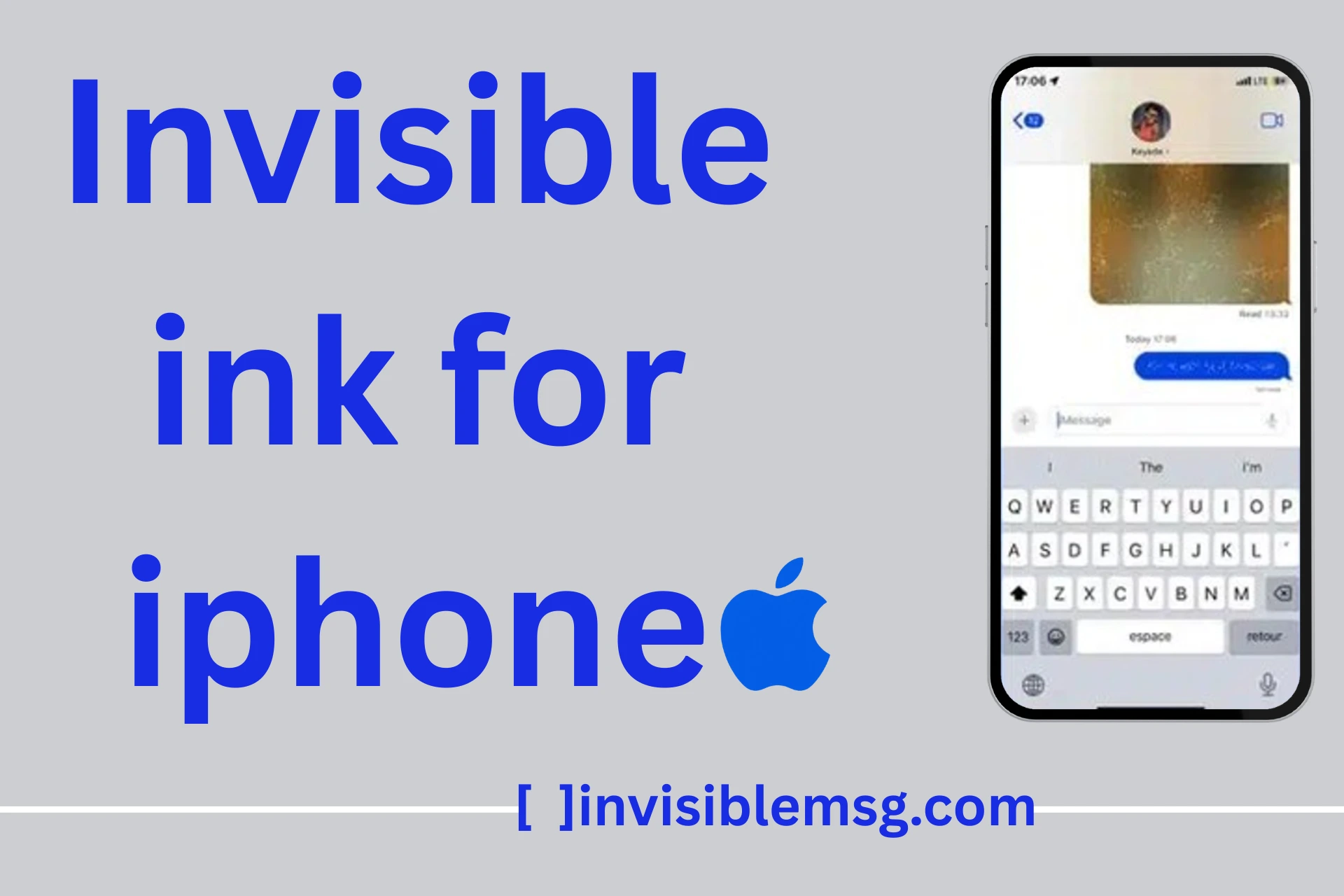
How to Send Invisible Ink on iPhone
Apple noticed the copy-paste trick, so they decided to include a built-in feature in iMessage. In this feature, the text is normally typed, and at the time of sending, a blur effect is applied. The receiver sees the message in blurred form, and when they tap on it, the text is revealed.
This method does not depend on Unicode. It only uses a visual effect that works inside iMessage. The message is not deleted; it is only hidden.
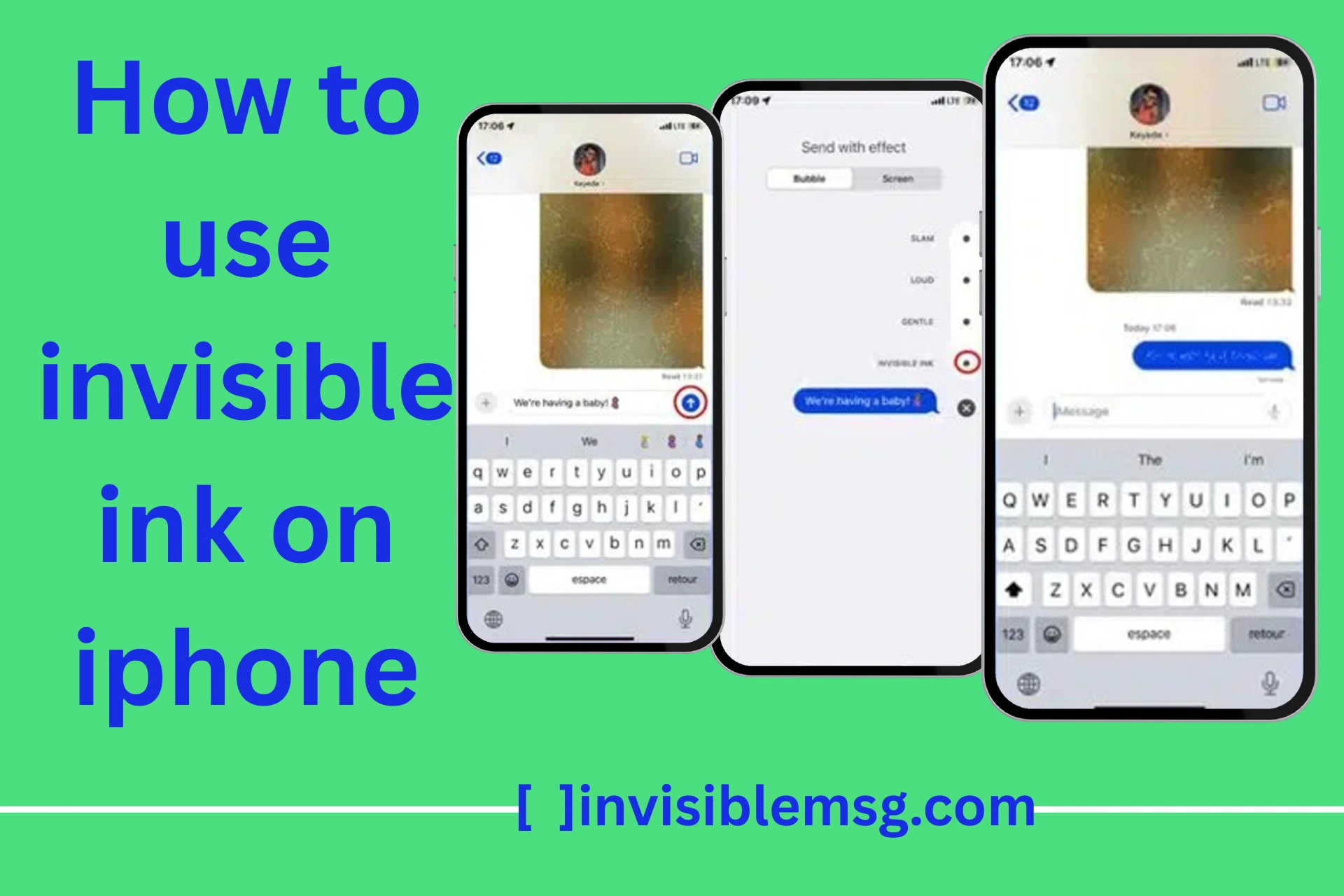
Step-by-Step Guide in iMessage
- Open iMessage.
- Type your message normally.
- Press and hold the send button (blue arrow).
- The “Send with Effect” screen will open.
- Select “Invisible Ink.”
- Then send the message.
- The message will be sent in blurred form.
How the Reveal Effect Works
When the receiver gets the message, it appears in blurred form. When they tap on it, the blur is temporarily removed and the text becomes visible.
This effect does not hide the message permanently. If the user leaves the screen or the chat refreshes after some time, the message becomes blurred again.
These features are mostly used for:
- Sending surprise messages
- Sending private replies
- Creating suspense in fun conversations
Can You Send a Completely Blank Message on iPhone?
Technically, it is not possible to send a completely blank message if you use only the normal keyboard space. iMessage usually does not send an empty message if no character exists. If you try to send a message by only pressing the space bar, the system detects it and removes it.
However, if you use special Unicode characters (like zero-width characters), the message can look blank, but technically it is not empty. A character still exists for the system, so the message is sent, and the receiver sees a blank bubble.
In another method, you can use the Invisible Ink effect. In this case, the message is not actually blank; it only has a blur effect applied. A completely empty message and an invisible effect are different things. That is why users should understand the difference between hidden and blank messages.
Blank Message iPhone Copy and Paste (2026)
The easiest way to send an empty message on iPhone is by copying and pasting blank characters. In this method, users cannot manually type a normal space. Instead, they copy a special Unicode character and paste it into iMessage. This character exists for the system, but the user only sees a blank bubble.
This method is very easy because not all users understand technical things or Unicode codes. You only need to copy the blank character and paste it anywhere you want.
How to Copy a Blank Character
To copy a blank character, you can use an invisible text generator or a trusted source to copy a zero-width character. Then open iMessage, paste the copied character into the message box, and send it. If the platform allows it, the receiver will see a blank text bubble.
Where You Can Paste It
A copied blank character is not only used in iMessage; it can also be used in other places:
- iMessage chats
- Notes app
- Social media bios
- Usernames (if the platform allows it)
All platforms behave differently. Some apps automatically remove invisible characters, so it is important to test it before using.
Tips for Empty Message iPhone
If you want to send an empty message on iPhone, first understand that a normal keyboard space cannot send a completely blank message. iMessage does not allow an empty message if no character exists. That is why you need to use trusted sources or special Unicode characters.
The second important thing is to check your internet connection and iMessage settings before sending. Sometimes a blank message appears due to technical issues like syncing problems or software glitches. So first confirm whether it is intentionally blank or a system error.
If you use Invisible Ink, remember it is not an actual blank message — it only applies a blur effect. Excessive use of invisible characters can disturb chat formatting, so it is better to use them in a simple and limited way.
- Use for emphasis → Send a blank bubble to build suspense.
- Combine with emojis → An empty text message on iPhone + emoji looks unique in chat.
- Don’t overuse → Spamming invisible text may annoy recipients.
- Check versions → Some older iOS versions may remove hidden characters.
Common Issues with Invisible Ink Messages
This feature works smoothly in iMessage, but sometimes users face common problems. The most common issue is that the blur effect does not show and the receiver sees normal text instead. This usually happens when the receiver’s device is not using iMessage or the effect is not supported on their version.
Another issue is that the message is delivered properly, but the reveal effect does not work correctly. Sometimes a slow internet connection, disabled iMessage, or a software bug can disturb the blur effect and animations.
In some cases, accessibility settings can also affect how the feature behaves. If “Reduce Motion” or similar settings are turned on, the animations may behave differently. If Invisible Ink is not working correctly, it is important to check iMessage settings, internet connection, and the iOS version.
Message Not Showing Blur Effect
Blur effect does not appear at all.
Usually caused by unsupported device or software version.
Receiver Cannot See the Effect
The message looks normal to the receiver.
Can happen if iMessage is disabled, effect not supported, or network issues exist.
Invisible Ink and Blank Text on iPhone Are Different
Many iPhone users think Invisible Ink and blank text are the same thing, but both work in different ways. Invisible Ink is a built-in iMessage effect. In this, you write normal text, then apply the effect before sending. The receiver sees the message in blurred form and taps it to reveal the text.
Blank text is not an iPhone effect. It works with special Unicode characters. These characters look empty on screen, but the system still reads them as real text. That is why a blank message can be sent even when nothing visible appears in the message bubble.
If your purpose is to send a surprise message, Invisible Ink is better. But if you want to send an empty-looking bubble or test invisible characters, then blank Unicode text is used. Both are useful, but they are not the same.
Invisible Ink Effect
Invisible Ink only hides the message with a blur effect. The text is not empty and not deleted. It is still a normal message, but iMessage covers it until the receiver taps on it.
- Works only inside iMessage
- Best for surprise messages
- Receiver taps to reveal the text
- Message becomes blurred again after some time
Blank Unicode Text
Blank Unicode text looks empty, but technically a hidden character is present. This method is mostly used to send empty messages, create blank spaces, or test invisible text in different apps.
- Looks blank on screen
- Uses hidden Unicode characters
- Can work in iMessage, Notes, bios, and usernames
- Some apps may remove these characters automatically
Why Invisible Ink Is Not Working on iPhone?
Sometimes users try to send Invisible Ink messages, but the effect does not show properly. This problem mostly happens because of iMessage settings, old iOS version, internet issue, or animation settings. It does not always mean the feature is broken.
First check whether your message bubble is blue or green. Invisible Ink works with iMessage, not normal SMS. If the bubble is green, the receiver may get a normal message without the blur effect.
iMessage Is Turned Off
If iMessage is off, the message sends as normal SMS. In this case, Invisible Ink effect will not work properly. Go to iPhone settings and turn on iMessage before sending.
Receiver Is Not Using iMessage
If the receiver is using Android or iMessage is disabled on their phone, the effect may not appear. Invisible Ink works best when both users are on iMessage.
Reduce Motion Setting
Some iPhone animation effects may change when Reduce Motion is enabled. If Invisible Ink is not showing correctly, check Accessibility settings and test again.
Old iOS or Slow Internet
An old iOS version or weak internet connection can also disturb message effects. Update your iPhone and refresh the Messages app if the effect is not loading.
Quick Fix Before Sending Again
- Make sure iMessage is enabled.
- Check that the message bubble is blue.
- Send to another iPhone user for testing.
- Update iOS if your phone is old.
- Restart the Messages app and try again.
Safe Use of Invisible Ink and Empty Messages
Invisible Ink is good for fun chats, surprise messages, birthday wishes, and private-looking replies. But it is not a complete privacy feature. The receiver can tap the message and read it. They can also take a screenshot, so do not use it for very sensitive information.
Empty messages also should be used carefully. Sending one or two blank messages can look creative, but sending too many can annoy the receiver. Some platforms may also block invisible characters if they are used too much.
The best way is simple. Use invisible text for fun, spacing, and creative chat styling only. Do not use it to confuse someone, hide important information, or bypass platform rules.
Best Use Cases
- Sending surprise messages in iMessage
- Creating fun empty bubbles in chat
- Testing blank Unicode characters
- Adding creative spacing in messages
- Making casual chats more interesting
Simple Tip for iPhone Users
If you want the receiver to reveal a hidden message, use Invisible Ink. If you want to send a message that looks empty, use the blank text generator above. Before sending, always test it once in your own iMessage or Notes app because every app handles invisible characters differently.
Invisible Ink Messages – Final Notes
Invisible Ink is a temporary way to hide a message on iPhone. It blurs the text, but the actual message is not deleted. This feature works perfectly when both the sender and receiver have a supported iOS version and iMessage is enabled. It is mostly used for styling messages, privacy, surprises, and creative chat effects.
Key Takeaways
Start experimenting now with the Blank Text Generator and explore more guides on WhatsApp empty messages or Twitter blank names.
- Blank characters: These are invisible Unicode symbols that create empty bubbles in iMessage. The text exists technically, but the user cannot see it.
- Invisible Ink: This is the built-in feature that reveals the message when tapped. It only applies a visual effect; the message is not deleted.
- Creative combos: Both methods can be combined to create suspense and fun in conversations.
- Cross-platform fun: This information is not only used in iMessage; it also works on other platforms like WhatsApp, instagram, Roblox, and more.
- Explore & experiment: Users are encouraged to use the Blank Text Generator and follow other guides to explore more and practice.