
Discord Invisible Text Copy Paste (2026)
The concept of invisible text on Discord is simple, but most people do not understand how this behavior works. Discord blocks normal keyboard spaces, so it is not possible to create a blank name or message using only the spacebar.
The solution is to use special Unicode whitespace characters. When you copy and paste them into Discord, the system accepts them and shows them as blank.
On this page, you can copy updated 2026 working invisible text and apply it for different purposes.
Discord Invisible Name Copy and Paste
The easiest way to get a Invisible name on Discord is with a dedicated generator. In most fonts, U+2800 looks completely blank.
Discord Invisible Character Generator 2026
[ ]Note: Preview markers are not copied. Zero-width characters remain invisible.
Blank Text Generator — Build Custom Strings
Works for Instagram, TikTok, Discord, WhatsApp, Facebook, Snapchat etc.
See the result in the real time
Zero-Width Invisible Characters
Zero-width space
U+200B • invisible
Zero-width Non-Joiner
U+200C • invisible
Zero-width Joiner
U+200D • invisible
Zero-width no-break
U+FEFF • invisible
Braille Blank
U+2800 • Braille Blank (visible width)
Visible Common Whitespaces
Narrow • THIN SPACE
U+2009
Ultra-narrow • HAIR SPACE
U+200A
Regular • SPACE
U+0020 (regular space)
Non-breaking • NBSP
U+00A0
Wide • EN SPACE
U+2002
Extra-wide • EM SPACE
U+2003
Ultra-wide • IDEOGRAPHIC
U+3000
How to Get an Invisible Name on Discord?
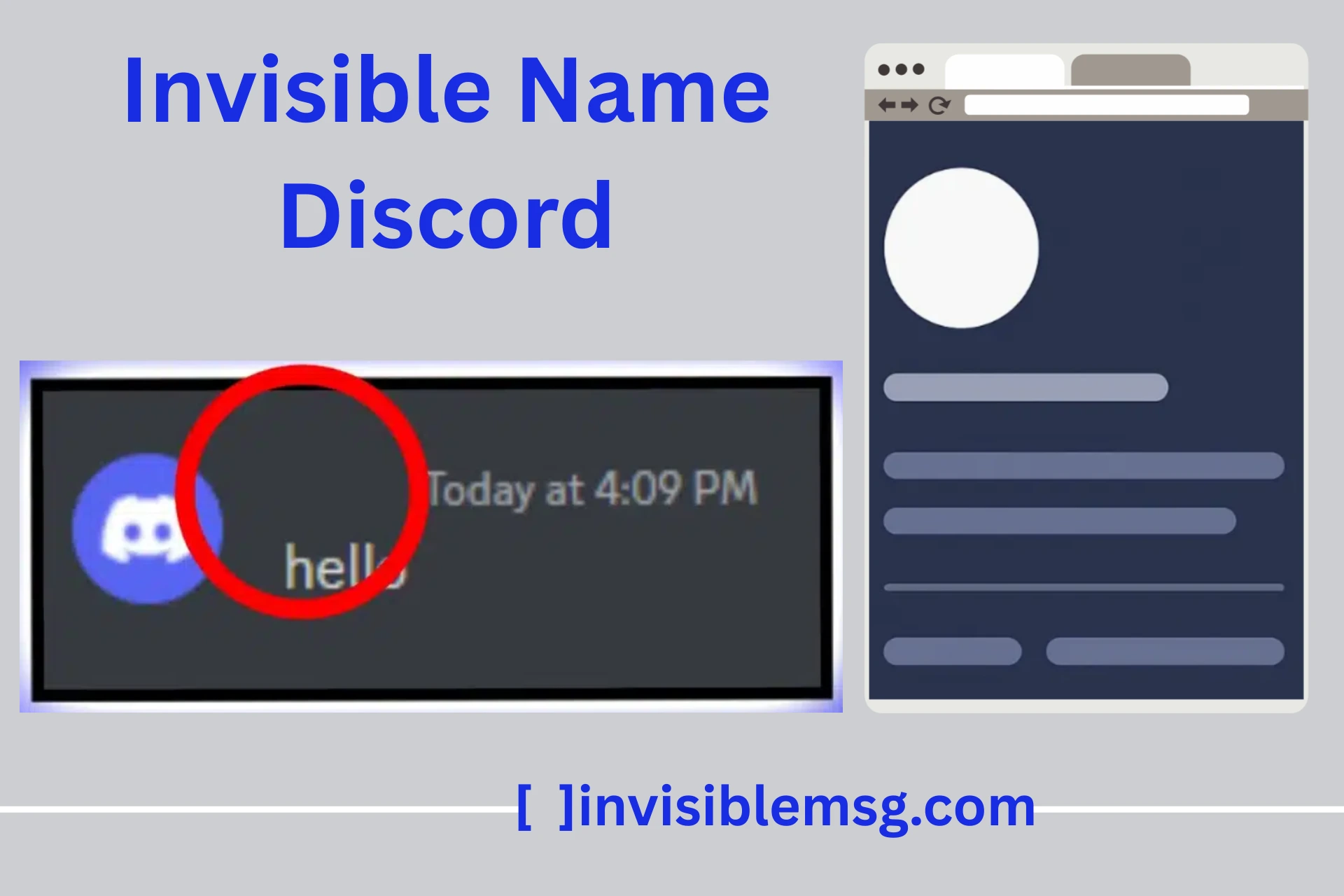
Discord does not normally allow empty usernames. If you leave the name field completely empty, you will get an error. However, you can use special invisible Unicode characters to make your name appear blank on the screen.
In reality, it is not truly empty, because it contains a hidden character that cannot be seen. When you copy and paste this character into your Discord username, name, or server nickname, Discord accepts it and it appears blank.
Users commonly use this method to create an aesthetic and minimal profile look. Sometimes after Discord updates, certain invisible characters may stop working or get blocked. In that case, you need to use an updated working character.
How to Send Empty Text on Discord?
User can send an empty message on Discord but can get an error. The solution to this problem is to use hidden Unicode characters that are technically considered as a character but cannot be seen on the screen. In this way, it looks blank to users, but the system does not consider it empty.
Fix “Message Cannot Be Empty” Error
This error appears when zero characters exist in the message box. Discord requires a minimum of one character compulsorily. The solution is to use an invisible character because the system understands that a character exists, but visually it looks blank.
Copy & Paste Invisible Text (Fastest Way)
This is the easiest solution to send an empty message. Use the generator tool and copy the character you like. Then open Discord and paste it into the message box and send it. After sending, refresh and check that it was successfully sent as a blank message.
Use Invisible Text for Nickname or Bio
You can use invisible text in nicknames and bios to create aesthetic looks and minimal profiles. This is mostly used for profile styling and is the best approach for minimal design lovers.
What You Can Use Empty Text For
Empty message cannot be used only for pranks or blank messages. It is also used for styling and formatting purposes.
People can use empty text:
- To send blank messages in chat
- To add extra spacing in bio and profile
- To show a blank and minimal look for nickname
- To hide text visually
- To create an aesthetic and clean look
Because its behavior can be different on every platform
Tips for Using Invisible Text on Discord
You can remember some important things when using invisible text on Discord, so that you do not face any issues or errors on your account.
- Always use updated and working Unicode characters. After Discord updates, some characters may get blocked, so check carefully.
- Don’t overuse it. Sending too many blank messages can result in spam detection.
- Only copy from trusted sources. Do not use random or broken characters.
- If you want to use it in your username, first test whether it saves or not.
- Every server has different rules, so check the server guidelines carefully.
- Misuse of invisible text can lead to limitations or restrictions on your account.
Important Notes
Invisible text is not the same as a normal space. A normal keyboard space (spacebar) is treated as empty by the system. But a Unicode character is technically a valid character. For this reason, it looks blank but is not considered empty by the system.
Some Discord servers use their own bots and moderation rules to block blank-looking messages. Because of this, results may not be the same on every server.
If any user misuses this feature, it can go against moderation rules. You should use it responsibly.
Best safe format:
Paste invisible text → test (works or not) → adjust (add 1–2 more invisible characters if needed).
Final Note on Discord No Name Copy and Paste
Discord still allows creative customization in 2026, including blank text, hidden Unicode characters, and empty styling methods. You can use the correct invisible character to make your profile look creative, minimal, and unique.
With the help of invisible characters:
- You can show your username or nickname as blank
- You can use a blank image avatar for a ghost-style profile
- You can send empty messages in chat
- You can use the same minimal style on different platforms
Along with Discord, you can also explore this style on Instagram, TikTok, WhatsApp, and Facebook. In this way, your online presence can stay consistent and stylish.
Frequently Asked Questions (FAQs)
This section is for those questions that users ask about invisible names or empty text. It clears practical confusion about invisible text with some common questions that most users search on Google and other platforms.
Does Discord allow invisible names?
▼
Discord does not allow you to set an empty name directly. But if a user uses a valid Unicode character, then the system can accept it and set it. Every character does not work, so using a working character is compulsory.
Why is my blank message not working?
▼
This usually happens when:
- The character has been blocked
- You are using a wrong or broken character
- The server bot does not allow blank messages
In this situation, you can try using a working character.
Which character works in 2026?
▼
Some zero-width or special whitespace Unicode characters still work in 2026. But after Discord updates, some may get blocked. You can try NBSP or ZWSP.