
Invisible username for tiktok 2026
If you want to add a minimalist style to your username, then using an invisible name is one of the safest and trending options. In 2026, many users on TikTok are creating unique profiles with blank and special Unicode characters.
With this tool, users can easily generate invisible characters and copy–paste them wherever needed. It is simple to use and does not require any technical skills. If the correct and supported characters are used, you can apply them without facing common errors.
TikTok Invisible Name Copy And Paste
The easiest way to get a blank name on TikTok is with a dedicated generator.
TikTok Invisible Name 2026 Generator
[ ]Note: Preview markers are not copied. Zero-width characters remain invisible.
Blank Text Generator — Build Custom Strings
Works for Instagram, TikTok, Discord, WhatsApp, Facebook, Snapchat etc.
See the result in the real time
Zero-Width Invisible Characters
Zero-width space
U+200B • invisible
Zero-width Non-Joiner
U+200C • invisible
Zero-width Joiner
U+200D • invisible
Zero-width no-break
U+FEFF • invisible
Braille Blank
U+2800 • Braille Blank (visible width)
Visible Common Whitespaces
Narrow • THIN SPACE
U+2009
Ultra-narrow • HAIR SPACE
U+200A
Regular • SPACE
U+0020 (regular space)
Non-breaking • NBSP
U+00A0
Wide • EN SPACE
U+2002
Extra-wide • EM SPACE
U+2003
Ultra-wide • IDEOGRAPHIC
U+3000
Why Invisible Text Works on TikTok ?
Invisible text specially work on tiktok why you can use unicode characters, you can’t seen in screen but the system was detect it. Text is here technically but user can seen blank bubble.
Tiktok username and message system not allowed empty fields. If you can’t type any word do no save it. But When you use zero-width and hidden unicode characters, then system understand its not blank field , then can accept it.
Only this way can possible to invisible name, blank message, or empty bio. This is not any hack, this is the beahviour of platform to use creative styling. Same things also used for discord bios and instagram blank message.
How to Get Invisible Name on TikTok 2026
To set an invisible name on TikTok, first understand that the platform rules are updated from time to time. Using the latest app version is very important; otherwise, some characters may not be accepted.
Go to your Profile section → Edit Profile.
In the Name field, paste the invisible text that you copied.
For the Username field, TikTok is very strict and usually does not allow completely blank text.
⚠️ Always follow TikTok’s community guidelines.
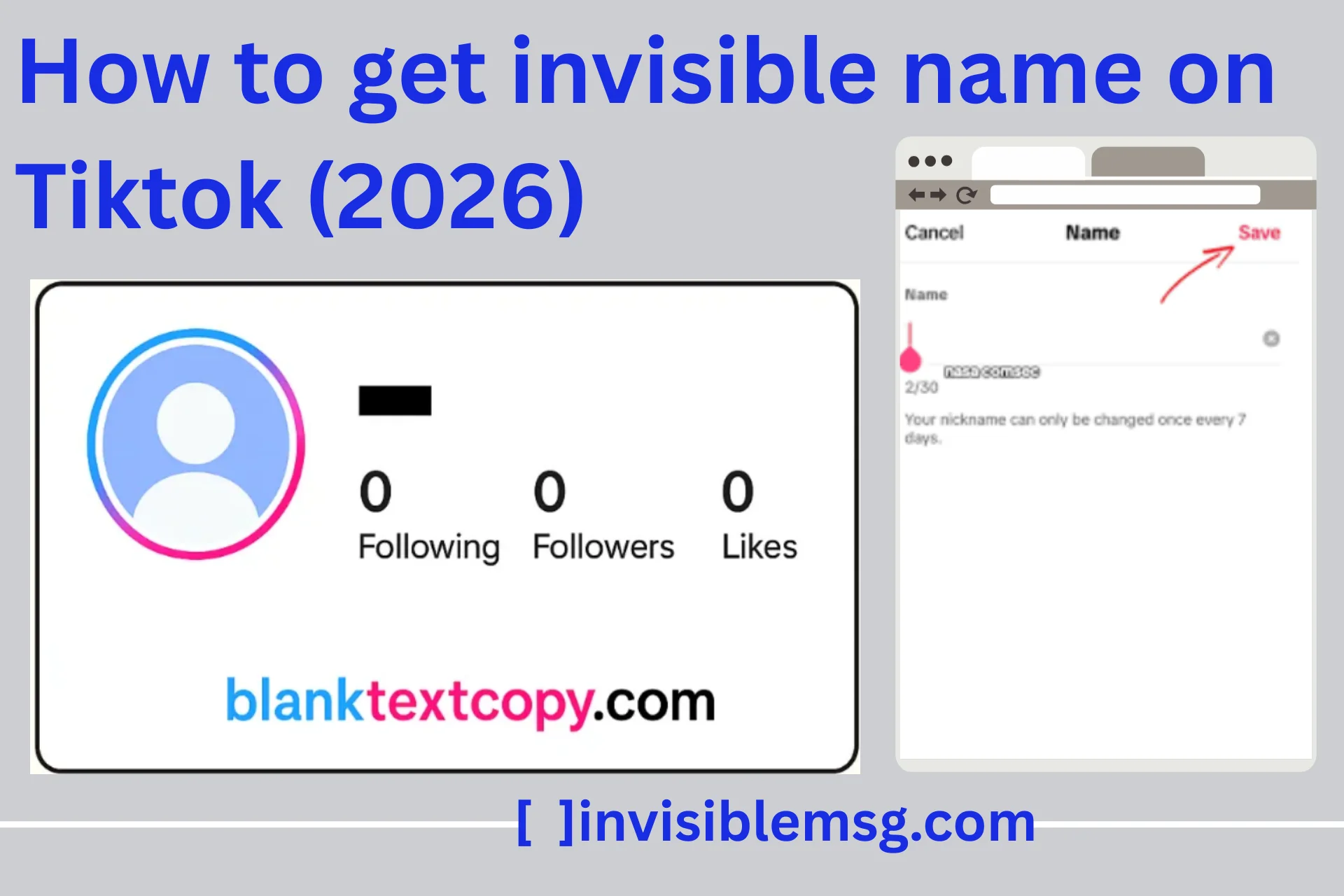
TikTok Invisible Name Not Working? (Fix Guide 2026)
If you can’t save an invisible name on TikTok, or if it is automatically removed after saving, the reason is usually platform updates or security restrictions. Sometimes TikTok blocks certain hidden characters, which causes the name to revert.
First, update the app to the latest version. Older versions may not support some characters. If the issue still continues, try changing the character, because not every Unicode character works on every version.
Clearing the app cache can also be helpful.
Log out and log in again to refresh your account settings.
How to Send Empty Message on TikTok?
Completely blank messages cannot be sent using normal typing on TikTok. Invisible names are fun, and TikTok also allows empty messages in chats or comments if you use the correct blank text. To send an empty message, copy a blank character and paste it into the chat box before sending.
- Copy an empty character from the tool.
- Open TikTok Direct Messages.
- Paste it into the text field → Send it.
The recipient will see a blank message bubble.
Blank Text for TikTok – Messages, Bios, PFP, and Nicknames
Blank text is not limited to usernames. TikTok users experiment with it in many different places across the platform. Each section behaves differently, so the results may not be the same in every field.
- Messages: Send blank chats or replies to create suspense.
- TikTok Blank Profile: Add empty text space or center your emojis for a cleaner look.
- Nicknames: In chats, paste blank characters to keep your nickname minimal.
- Captions: Insert blank characters between hashtags for cleaner formatting.
Key Warnings: Invisible Name Copy and Paste TikTok
Before you finalize your invisible name, keep the following points in mind:
- TikTok updates its rules from time to time, so characters that work today may not work in the future.
- Not every invisible or blank character is permanent. Some may be automatically removed after saving.
- The username field is stricter compared to the display name or bio.
- Using too many invisible characters can disturb the layout and readability of your profile.
- If a character appears suspicious or misleading, it may violate TikTok’s community guidelines.
- After saving, always refresh and check your profile to make sure the name is still visible as intended.
- Use trusted sources or generators, as random characters may cause errors or other issues.
FAQ TikTok Blank PFP – Quick Answers
Here we give clear and short answers to common questions people usually ask, like blank PFP, invisible name, and empty messages. If you want to use blank style on TikTok, you must read this before.
Q: Can I set a fully TikTok Blank PFP?
▼
Normally, it is not possible to set a completely blank PFP. TikTok usually does not allow an empty profile picture.
If you use a transparent image, that’s fine, but sometimes TikTok automatically adds a background. If the image is completely blank, chances are high that it will be rejected.
Best option: Use a minimal transparent PNG.
Q: Why did my invisible name disappear after saving?
▼
This is a very common issue. TikTok changes its rules from time to time. Not every Unicode character is permanent.
Some characters are automatically removed after saving.
Tip: After saving, refresh your profile and check it properly.
Q: Can I send a completely empty TikTok message?
▼
No, you cannot send a direct empty message. You need to use invisible Unicode methods to send a blank message.
Q: Are hidden characters safe to use?
▼
Mostly safe, but use them carefully. Use standard Unicode characters only.
Do not use third-party hacks. Avoid overusing invisible text, as it can create issues.
Invisible Username TikTok Generator: Minimalist and Creative Styling
If you want to make your username minimalist and creative, you can use an invisible username generator as a simple solution. This tool provides special Unicode characters that are not normally visible, but the system can detect them. In this way, you can style your username in a more attractive and unique way on TikTok.
Why Use an Invisible Username Generator?
- Create a minimalist profile look
- Make your username unique and rare
- Simple copy–paste method
- No special app installation required
How It Works?
- The generator creates hidden Unicode characters
- You copy and paste them into the username field
- The system may show them as blank or invisible (if allowed)